Apple’s 2026 Software Purge: 16 Legacy iPads, Macs, and Watches Lose Support
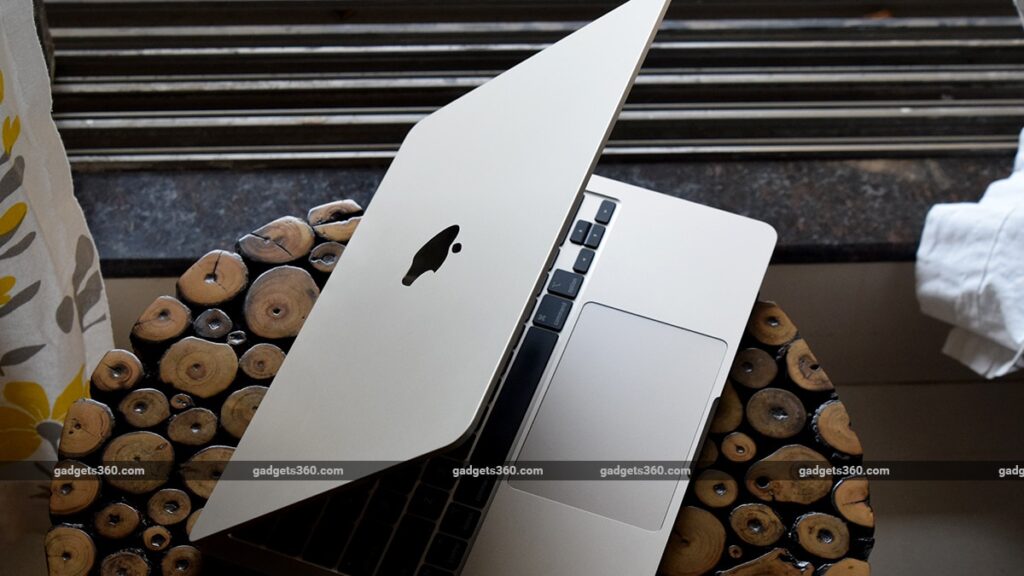
Table of Contents
The Hard Cutoff: Apple’s 2026 Hardware Transition
Apple’s Worldwide Developers Conference (WWDC) 2026 was dominated by the promise of tighter AI integration, but for millions of users, the real story is in the fine print of the compatibility lists. Following the keynote and subsequent technical sessions, Apple confirmed that 16 legacy devices across the Mac, iPad, Watch, and TV ecosystems will not be eligible for the upcoming software cycle. The introduction of macOS 27 Golden Gate, iPadOS 27, watchOS 27, and tvOS 27 marks a significant shift in how the company manages its hardware lifecycle, specifically as it pushes the boundaries of on-device machine learning.
- 16 Devices Dropped: A coordinated sunsetting of hardware across four distinct product lines.
- iPhone Resilience: iPhone 11 remains supported, though it lacks the hardware for Apple Intelligence.
- The AI Gap: A widening divide between devices that can run local LLMs and those that cannot.
- macOS 27 Golden Gate: The new operating system introduces stricter architectural requirements for Mac hardware.
For most users, software updates are about new emojis or slightly different menu layouts. However, for the 16 models being dropped, the impact is architectural. As Apple leans into “Apple Intelligence,” the requirement for Neural Engine (NPU) performance has transitioned from a “nice-to-have” to a baseline necessity for OS stability. While the iPhone 11 manages to survive another year, the iPad and Mac lineups are seeing a more aggressive pruning process.
Breaking Down the Compatibility List
The most striking aspect of the WWDC 2026 announcements is the variety of devices being phased out. Unlike previous years where a single generation was dropped, Apple is now removing support for specific hardware configurations that cannot meet the telemetry and security demands of the 2026 kernel.
The Mac Transition: macOS 27 Golden Gate
The shift to macOS 27 Golden Gate is particularly punishing for Intel-based Macs that survived the initial transition to Apple Silicon. Apple has effectively drawn a line in the sand: if a Mac lacks a certain threshold of unified memory or a specific iteration of the Secure Enclave, it is no longer viable for the 2026 update. This includes several 2018-2019 MacBook Air and Pro models that had previously been clinging to life via legacy support.
iPadOS 27 and the Tablet Divide
The iPad lineup has historically seen longer support cycles than the iPhone, but the 2026 update disrupts this pattern. Several iPad Air and iPad mini models are being retired. The primary culprit here is the RAM bottleneck. With the latest iPadOS features requiring more active memory for background AI processes, devices with 3GB or 4GB of RAM are increasingly unable to handle the operating system’s overhead without severe performance degradation.
Watch and TV: The Silent Sunsetting
While less discussed in the keynote, watchOS 27 and tvOS 27 are also trimming the fat. The Apple Watch Series 4 and 5, which served as the gold standard for longevity, are finally hitting the wall of hardware exhaustion. Similarly, older Apple TV 4K models are being left behind as the living room experience shifts toward more compute-intensive spatial audio and visual processing.
What This Means for the End User
Entering a “legacy” state doesn’t mean your device stops working tomorrow, but it does trigger a gradual decline in utility. Here is the practical breakdown of what happens when your device is dropped from the 2026 support list.
Security and the ‘Zero Day’ Risk
The most critical concern is security. While Apple frequently releases “security-only” updates for older versions (such as the occasional patch for iOS 15 or 16), these are reactive rather than proactive. Users on unsupported devices will eventually stop receiving Rapid Security Responses, leaving them vulnerable to new exploits that the latest OS would have neutralized.
The App Store Wall
App developers typically target the last two or three major OS versions. Once a device is two generations behind, developers begin dropping support in their MinimumOSVersion declarations in App Store Connect. You will likely find that within 12-18 months, new apps will refuse to install, and updates for existing apps (like banking or productivity tools) will require an OS version your hardware cannot run.
The Hardware Performance Paradox
There is a common misconception that staying on an old OS makes a device “faster” because the software is lighter. In reality, as web standards evolve and websites become more complex, the browser (Safari) becomes heavier even if the OS remains static. This creates a performance paradox where the device feels slower despite not having a new OS installed.
The Apple Intelligence Hierarchy
A recurring theme at WWDC 2026 is the tiered system of intelligence. Apple has created a stark distinction between OS Compatibility and Feature Compatibility.
Consider the iPhone 11. While it can technically run iOS 27, it is a “hollow” update. It lacks the A13’s capacity to handle the local generative models that power Apple Intelligence. This means a user with an iPhone 11 and a user with an iPhone 16 Pro are running the same OS, but they are essentially using two different products. The iPhone 11 user gets the security patches and the new UI, while the Pro user gets a device that can rewrite emails, generate images, and act as a proactive agent.
| Feature Level | Hardware Requirement | User Experience |
|---|---|---|
| Core OS | Basic SoC / 4GB+ RAM | Security updates, UI changes, basic app compatibility. |
| Advanced AI | A17 Pro / M-Series | On-device LLMs, Genmoji, Siri with screen awareness. |
| Elite Performance | M4 / A18 Pro | Real-time multimodal processing, high-token window AI. |
Evaluating the Lifecycle: Is it Time to Upgrade?
For those on the list of 16 dropped devices, the decision to upgrade should be based on usage patterns rather than fear of missing out on a new OS version.
If you use your Mac exclusively for web browsing and word processing, macOS 27 Golden Gate’s absence isn’t a crisis. However, if you rely on a device for professional work, the loss of support for new versions of Xcode or Creative Cloud apps—which often require the latest OS—becomes a business liability. For Apple Watch users, the drop is more immediate; once the health sensors’ calibration software is no longer updated, the accuracy of biometric data can drift over time.
Comparing Apple’s Approach to Android and Windows
Apple’s strategy remains far more aggressive than Microsoft’s, though it is beginning to mirror the fragmented nature of the Android ecosystem. Windows 10, for example, continues to support hardware from a decade ago, albeit with significant compromises. In contrast, Apple’s tight integration of hardware and software allows them to prune the ecosystem quickly to ensure that the “Apple experience” remains snappy and consistent.
This aggressive cycle drives the “upgrade treadmill.” By tying the most desirable features (AI) to the newest chips, Apple is effectively creating a psychological obsolescence that precedes the actual hardware failure of the device. It is no longer about whether the battery is dead; it is about whether the chip is “smart” enough for the current era of computing.
Frequently Asked Questions
Can I manually install iOS 27 or macOS 27 on an unsupported device?
Generally, no. Apple uses signed firmware and bootloader checks to prevent the installation of OS versions not intended for specific hardware IDs. While the “jailbreak” community occasionally finds loopholes, these are unstable and often break critical functions like iMessage or iCloud syncing.
Will my apps stop working immediately after the update?
No. Your current apps will continue to function. However, you will not be able to update those apps to newer versions if the developer requires the latest OS. Over time, this leads to a “version gap” where your apps become outdated and potentially buggy.
Why is the iPhone 11 still supported while some newer iPads are not?
The iPhone is Apple’s most critical product line. Maintaining a long support window for iPhones helps Apple maintain its market share and ecosystem lock-in. iPads, being secondary devices for many, often have more varied hardware specs (like the difference between Wi-Fi and Cellular models), which can lead to staggered support cuts.
What is macOS 27 Golden Gate?
macOS 27 Golden Gate is the 2026 operating system for Mac computers. It is characterized by a deeper integration of AI agents into the system core and a redesigned window management system that leverages the M-series Neural Engine.
Will my device still get security updates if it’s not supported?
Apple may provide critical security patches for the previous version of the OS for a limited time, but this is not guaranteed. Once a device is officially “vintage’ or ‘obsolete,’ the risk of unpatched vulnerabilities increases significantly.