Apple Intelligence on macOS 27: Can Siri AI Actually Fix the Mac Workflow?
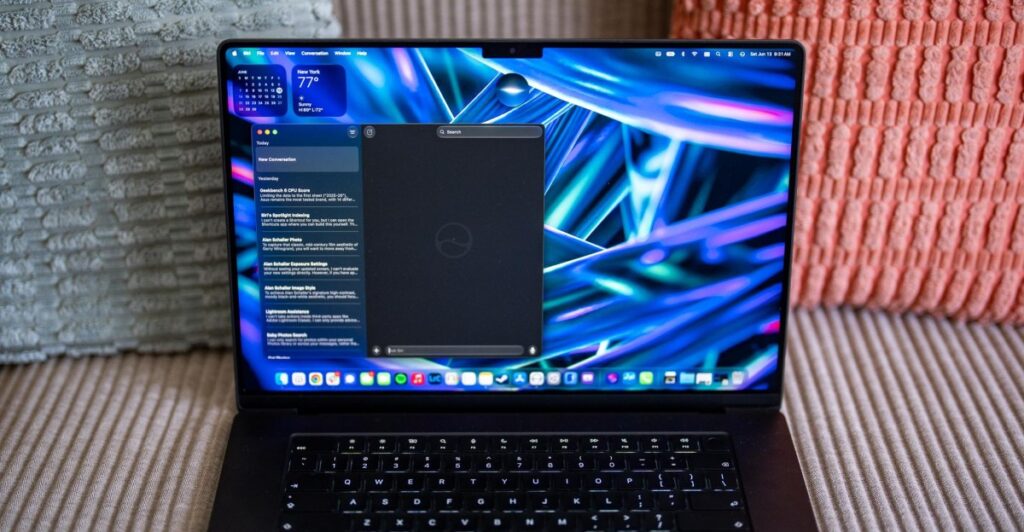
Table of Contents
The Friction of Transition: Living with Siri AI for 24 Hours
For years, the relationship between power users and Siri has been one of mutual avoidance. On a Mac, where the keyboard and mouse offer surgical precision, a voice assistant often feels like a slower way to do something you can already do in two keystrokes. However, with the arrival of Siri AI on macOS 27 Golden Gate, Apple is attempting to pivot Siri from a simple query tool into a contextual OS agent.
After 24 hours of testing the developer beta on an M5 Max MacBook Pro and an M5 MacBook Air, the results are a study in contradictions. There is an undeniable leap in semantic understanding—Siri finally understands what I’m talking about—but the bridge between understanding and execution remains fragile. For those of us who rely on the Mac for high-stakes productivity, the question isn’t whether Siri can talk to us, but whether it can actually move the needle on our workflow.
- Contextual Awareness: Siri AI can now analyze on-screen data and local files with surprising accuracy in controlled environments.
- Integration Gaps: The system remains heavily biased toward Apple-native apps, struggling with third-party ecosystems like Google Photos or Signal.
- Execution Hurdles: While App Intents are promising, complex multi-step automations (like running benchmarks) still require manual intervention.
- Hardware Synergy: The M5 silicon provides the necessary NPU overhead to keep these interactions fluid, though indexing transparency is lacking.
Testing the ‘Agentic’ Promise: Benchmarking and Data Logging
The true test of any macOS update for a tech reviewer is whether it reduces the drudgery of data collection. My typical workflow involves running CPU and GPU benchmarks (Geekbench, Cinebench, PugetBench) in triplicate, capturing screenshots, and manually averaging the results into a spreadsheet. This is where I attempted to push the limits of Apple Intelligence.
Initially, I tried to use the new ‘vibe coding’ capabilities within Shortcuts to automate the process. The goal was simple: launch Geekbench, trigger the test, capture the result, and repeat. However, the beta reveals a critical limitation in current App Intents. Siri could open the application, but it couldn’t ‘click’ the start button within the app. The resulting shortcut literally included a step that said “Wait for you to run the test.” This confirms that while Apple is building the framework, third-party developers must explicitly define every single action for Siri to execute it.
Where the experience improved was in the post-processing phase. Using the new Ask Siri integration in Spotlight, I selected a batch of benchmark screenshots in Finder and asked Siri to calculate the average scores. In several instances, Siri correctly identified the difference between single-core and multi-core CPU scores and presented the data in a clean, formatted table. This is a significant upgrade over previous versions of macOS, where Siri would likely have just told me it couldn’t find any spreadsheets.
The Precision Gap: When ‘Close Enough’ Isn’t Enough
Despite the impressive table generation, the trust factor remains low. During my testing, I noticed that when I mixed synthetic scores (like Geekbench) with time-based results (like Blender render times), Siri occasionally hallucinated the numbers or pulled the wrong metric. For a journalist or an engineer, a 5% error in a benchmark average isn’t a minor glitch—it’s a failed test. This suggests that while the LLM powering Siri is adept at pattern recognition, it still lacks the deterministic precision required for data-heavy professional work.
The Ecosystem Wall: iCloud vs. The Rest of the Web
One of the core pillars of macOS 27 is the idea that Siri AI knows everything about your digital life. In practice, this ‘knowledge’ is strictly gated by Apple’s own ecosystem. When I asked Siri to find photos of cats or babies, it instantly surfaced results from Apple Photos and Messages. However, for users who operate outside the Apple walled garden, the experience is vastly different.
As someone who uses Signal for messaging and Google Photos for cloud backup, Siri’s ‘intelligence’ vanished. It could not surface images from Signal, nor could it find photos stored in Google Photos, despite those apps being installed on the Mac. More frustratingly, it failed to index thousands of local images within my Lightroom Classic catalog, even though the files were stored in the standard Pictures folder. This points to a systemic issue: Apple Intelligence is designed to reward those who use the full Apple stack, while providing minimal value to those who mix and match their software.
Visual Intelligence and On-Screen Context
The introduction of Visual Intelligence allows Siri to ‘see’ what is on the screen, similar to the functionality seen in Microsoft’s Copilot Vision. On macOS 27, this is accessed via a right-click menu or a direct Siri prompt. I tested this by pointing Siri toward a complex spreadsheet in Google Sheets to identify the laptop with the highest single-core score.
The limitation here is visual windowing. Siri could only analyze the data currently visible in the browser window. To get a comprehensive analysis, I had to download the sheet as an Excel file and point Siri to it in Finder. Even then, the AI occasionally confused multi-core data for single-core results. This suggests that the ‘visual’ aspect of Siri is currently a layer over the UI rather than a deep integration with the underlying data structure of the application.
What This Means for Mac Users
The transition to Siri AI on macOS 27 represents a shift from Command-based interaction (where you tell the computer to do X) to Intent-based interaction (where you tell the computer you want Y result). For the average user, this is a massive win; finding a specific email from a flight confirmation or summarizing a long PDF is now a seamless experience.
For power users and professionals, however, the implications are more complex. We are entering a ‘hybrid’ era where we can delegate the organization of data to AI but must still perform the actual execution and verification ourselves. The ‘intelligence’ is currently a sophisticated assistant that can organize your files but cannot yet operate your professional software with the reliability required for a production environment.
Impact by User Segment
| User Type | Primary Benefit | Major Pain Point |
|---|---|---|
| Casual User | Natural language search and basic automation. | Initial setup and indexing time. |
| Creative Pro | Quick retrieval of assets in Apple Photos/Finder. | Lack of deep integration with Adobe/third-party apps. |
| Developer/Analyst | Rapid data summarization from local files. | Lack of deterministic accuracy in numeric calculations. |
Frequently Asked Questions
Does Siri AI on macOS 27 require an M-series chip?
Yes. Apple Intelligence features, including the new Siri AI capabilities, are exclusive to Macs with Apple Silicon (M1 and later). The neural engine is critical for running the on-device models that power the contextual awareness and privacy-preserving processing.
How long does it take for Siri AI to index files on a new Mac?
Indexing time varies based on the volume of data. While macOS 27 does not provide a visible ‘indexing’ progress bar like iOS 27, users may notice that some deep-file queries are unavailable for the first few hours after installation. It is recommended to leave the Mac plugged in and idle overnight for the first run.
Can Siri AI control third-party apps like Slack or Zoom?
Siri can launch these apps and perform basic tasks if the developer has implemented the updated App Intents framework. However, complex actions (like ‘summarize the last three messages in the #general channel’) depend entirely on the app’s specific integration and are not a universal OS-level feature yet.
Is my data sent to the cloud for Siri AI to work?
Apple uses a hybrid approach. Most processing happens on-device. For more complex requests, Apple uses ‘Private Cloud Compute,’ which they claim processes data without storing it or making it accessible to Apple, maintaining a high standard of privacy compared to traditional cloud AI.
Why can’t Siri find my photos in Google Photos?
Siri AI primarily indexes the Apple Photos library and the system’s native file structure. Because Google Photos stores data in a proprietary cloud format accessible via a web interface or app, Siri cannot ‘see’ those images as local system files unless they are manually downloaded to the Mac.