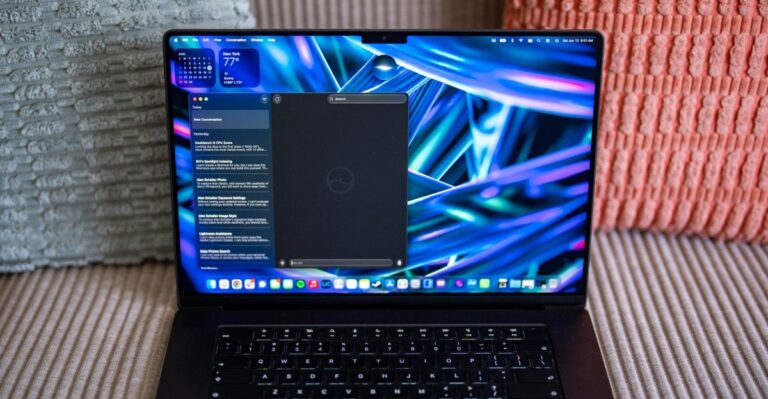
Dell’s New XPS 13 Challenges the MacBook Neo: Can Windows Keep Up With the Hardware?
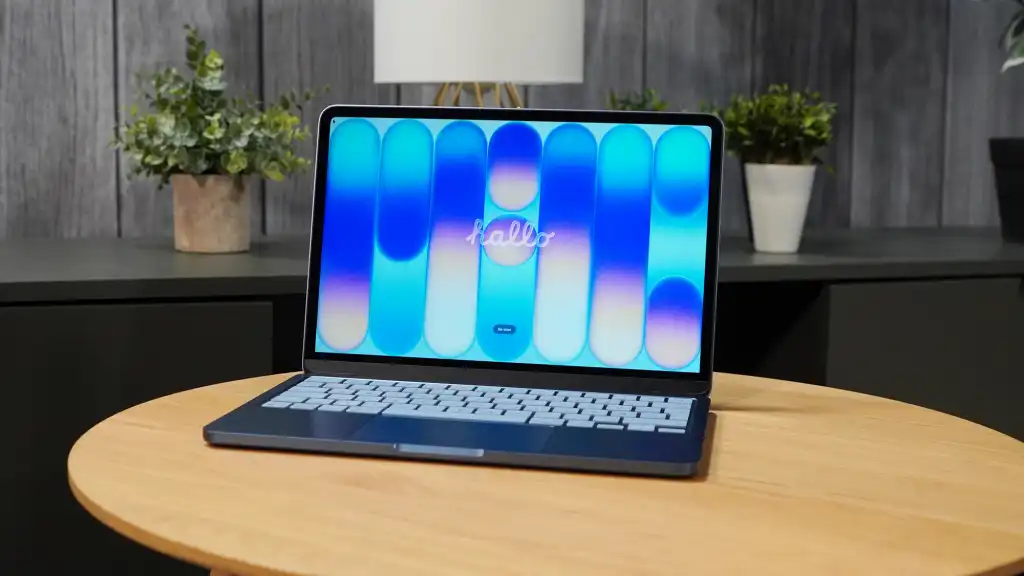
Table of Contents
The Shift Toward ‘Budget Premium’ Hardware
For years, the sub-$700 laptop market was a wasteland of plastic chassis, dim screens, and Mushy keyboards. It was a category defined by compromise. However, the arrival of the MacBook Neo has fundamentally shifted the expectations of the average consumer. Apple’s $599 entry point didn’t just offer a cheap computer; it offered a premium experience—all-aluminum builds and high-efficiency silicon—at a price point previously reserved for ‘educational’ plastic slabs.
Dell has responded with a clear tactical pivot. The new Dell XPS 13, debuting at $699, isn’t just another refresh; it is a direct response to the Neo’s design philosophy. By prioritizing the ‘tactile’ experience—weight, screen quality, and battery life—Dell is acknowledging that the modern user values the physical interface as much as the internal specs. But while the hardware is catching up, a critical software gap remains: the way Windows 11 interacts with limited memory.
- Key Takeaways
- Hardware Parity: Dell’s XPS 13 matches the MacBook Neo in chassis quality, offering an OLED display and lightweight design for $699.
- The RAM Trap: Both devices launch with 8GB of RAM, but macOS handles low memory significantly more efficiently than Windows 11.
- Silicon Strategy: Apple relies on repurposed iPhone silicon for high single-core bursts, while Dell utilizes Intel’s ‘Wildcat Lake’ architecture optimized for efficiency.
- Software Bottlenecks: Windows 11’s historical bloat remains the primary hurdle for budget-tier PC performance.
Engineering the Feel: The Tactile War
When evaluating a laptop, there is a distinction between technical specifications and user experience. A processor might be 10% faster on a benchmark, but if the trackpad is clunky and the screen is washed out, the device feels slow. Apple understood this with the MacBook Neo. By utilizing a recycled iPhone processor and a high-density aluminum frame, they created a device that feels expensive despite the $599 price tag.
Dell is mirroring this approach. The XPS 13’s 2.2-pound frame and claimed 17-hour battery life are designed to neutralize Apple’s lead. On paper, Dell is actually winning some categories; the inclusion of an OLED display at $699 is a significant value-add over the Neo’s standard panel. For users who spend eight hours a day staring at a screen, the jump to OLED is a tangible upgrade that justifies the extra $100.
The ‘Human’ Interface Priority
The philosophy here is simple: prioritize the touchpoints. The keyboard, the chassis, and the display are the only parts of the computer the user ever actually touches. By focusing on these, Dell is attempting to erase the ‘cheap’ feeling associated with budget Windows laptops. However, a premium chassis cannot mask a stuttering OS.
The 8GB Memory Crisis: macOS vs. Windows 11
The most contentious point of both the MacBook Neo and the Dell XPS 13 is the 8GB of RAM. In 2026, 8GB is widely considered the absolute floor for productivity, yet both manufacturers are pushing it as the standard for entry-level premium devices. The problem is that 8GB of RAM does not behave the same way across different operating systems.
In my experience using the MacBook Neo as a daily driver, the machine handles multitasking with surprising fluidity. This is due to macOS’s aggressive memory compression and efficient swap file management. When the system runs out of physical RAM, it moves inactive data to the ultra-fast SSD in a way that is nearly invisible to the user. I’ve witnessed the Neo handle 50+ Chrome tabs and 4K video clips without the characteristic ‘freeze’ seen in low-memory PCs.
Windows 11, conversely, has a long-standing struggle with memory overhead. Despite Microsoft’s 2026 initiative to reduce ‘bloatware’ and improve reliability, the kernel remains heavier. For a user running a handful of tabs and a Word document, 8GB on the XPS 13 is sufficient. But the moment a ‘punishing workload’ is introduced—such as a heavy IDE, multiple communication apps like Discord and Slack, and a browser—Windows often hits a wall.
Technical Breakdown: Memory Management
| Feature | macOS (MacBook Neo) | Windows 11 (XPS 13) |
|---|---|---|
| Memory Compression | High efficiency; aggressive | Moderate; varies by build |
| Swap File Speed | Optimized via Unified Memory | Dependent on NVMe drive speed |
| Background Processes | Strictly managed | High (due to telemetry and legacy apps) |
| User Feel | Smooth transition to swap | Noticeable ‘stutter’ when swapping |
Silicon Logic: Intel Wildcat Lake vs. Apple Silicon
The performance gap is also a tale of two different architectural philosophies. Apple’s use of iPhone-castoff silicon in the Neo is a masterclass in efficiency. By prioritizing single-core performance, Apple ensures that the ‘snappiness’ of the UI—opening an app, scrolling a page—is instantaneous. This is where most users perceive speed, regardless of the total core count.
Dell is utilizing the new Intel Wildcat Lake processors. These chips are specifically engineered to bring the ‘efficiency-first’ model to Windows laptops. While Intel has made strides in reducing power draw to compete with ARM-based chips, they are fighting an uphill battle against the Windows software stack. As Microsoft CEO Satya Nadella admitted in a recent interview, the PC industry spent decades assuming processors would simply get faster, neglecting the need for deep software optimization.
“We never got there in terms of software optimization during the prime PC era—developers just assumed the next generation of processors will be ever-faster, rather than tweaking their programs to run better.” — Satya Nadella, CEO of Microsoft
What This Means for the Consumer
If you are a casual user—meaning your primary activities are web browsing, streaming, and light document editing—the Dell XPS 13 is an incredible value. You get a gorgeous OLED screen and a premium chassis that rivals Apple, and you likely won’t hit the 8GB RAM ceiling.
However, if you are a power user or a student who keeps dozens of tabs open while running background apps, the ‘RAM gap’ is a real risk. The MacBook Neo’s ability to punch above its weight class isn’t a hardware miracle; it’s a software advantage. Until Windows 11 can match the memory efficiency of macOS, a premium-feeling Windows laptop may still feel ‘slow’ under pressure.
The Risk of the ‘Hardware Mask’
There is a danger in Dell’s current strategy. By making the XPS 13 feel like a MacBook, they may lead consumers to believe it performs like one. While the physical experience is now nearly identical, the operational experience depends entirely on Microsoft’s ability to trim the fat from Windows 11. If the OS continues to bog down, the XPS 13 becomes a beautiful shell around a frustrating experience.
Frequently Asked Questions
Is 8GB of RAM enough for a Windows laptop in 2026?
For basic tasks, yes. However, for multitasking with professional software or heavy browser usage, 8GB often leads to system slowdowns in Windows 11, whereas macOS handles it more gracefully.
How does the Dell XPS 13 OLED compare to the MacBook Neo screen?
The XPS 13’s OLED panel generally provides better contrast, deeper blacks, and more vibrant colors than the standard display on the MacBook Neo, making it superior for media consumption.
What is the Intel Wildcat Lake processor?
It is a new generation of Intel chips designed specifically for thin-and-light laptops, focusing on power efficiency and thermal management to compete with ARM-based processors like those from Apple.
Why does the MacBook Neo feel faster with similar specs?
The combination of a high single-core performance CPU and macOS’s superior memory compression allows the MacBook Neo to handle more tasks without lagging, even with limited RAM.
Should I choose the XPS 13 over the MacBook Neo?
Choose the XPS 13 if you prefer Windows, want a superior OLED screen, and have a light-to-moderate workload. Choose the MacBook Neo if you prioritize battery life and fluid multitasking under heavy loads.