Microsoft Surface Pro and Laptop Refresh: The Snapdragon X Elite Bet on ARM
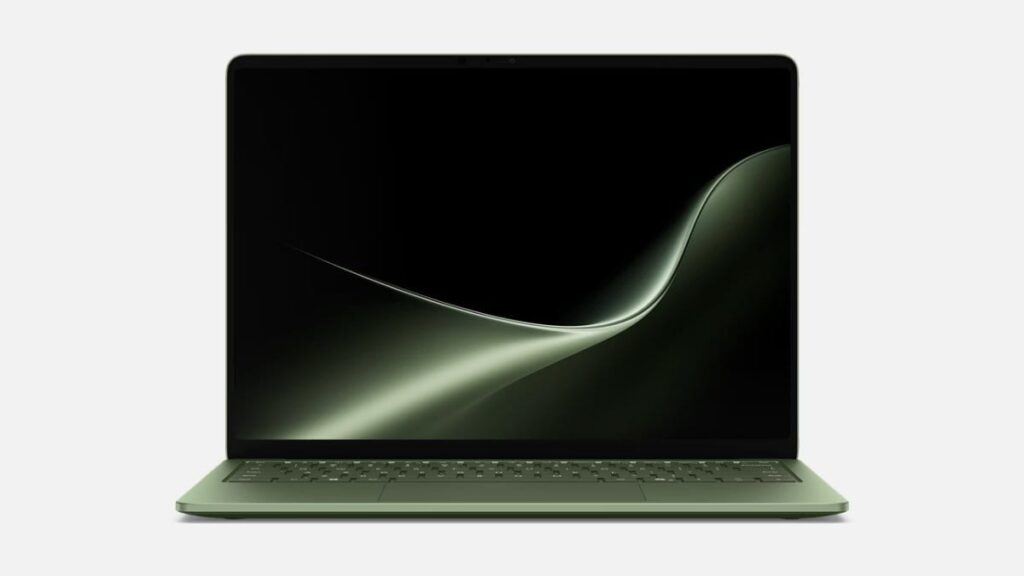
Table of Contents
The Great ARM Pivot: Microsoft’s High-Stakes Hardware Shift
Microsoft has officially moved the needle on its flagship hardware, launching the latest iterations of the Surface Pro and Surface Laptop. While the chassis updates are iterative, the internals represent a seismic shift: the move to Qualcomm’s Snapdragon X series processors. This isn’t just a spec bump; it is a fundamental change in how Windows devices handle power, efficiency, and artificial intelligence.
For years, the Surface line struggled with a recurring paradox—the Pro offered unmatched versatility but suffered from thermal throttling, while the Laptop provided stability but lagged behind the battery efficiency of Apple’s M-series silicon. By integrating the Snapdragon X Elite and X Plus chips, Microsoft is attempting to bridge that gap, promising a “Copilot+ PC” experience that balances raw compute with an unprecedented 20 hours of video playback.
- Architecture Shift: Transition from x86 (Intel/AMD) to ARM64 (Qualcomm Snapdragon X), optimizing for efficiency and AI.
- Battery Breakthrough: Claims of up to 20 hours of video playback, targeting the efficiency gap with MacBook Air.
- AI Integration: Dedicated NPUs (Neural Processing Units) enabling local AI tasks through the Copilot+ framework.
- Pricing: Surface Pro starts at $1,499; Surface Laptop starts at $1,599.
Breaking Down the Silicon: Snapdragon X Elite vs. X Plus
To understand why these devices matter, we have to look at the Neural Processing Unit (NPU). The Snapdragon X Elite is designed specifically for the AI era, featuring a dedicated engine that handles background tasks—like live captions, image generation, and system optimization—without taxing the CPU or GPU. This allows the device to remain cool and quiet, a historical pain point for Surface Pro users.
The Snapdragon X Elite utilizes an Oryon CPU, which employs a custom ARM architecture. Unlike traditional Intel chips, which are designed for maximum peak performance at the cost of power, the Oryon cores are designed for “performance per watt.” In practical terms, this means the laptop can stay in a low-power state while idle and snap to full power instantly without the dreaded 5-second lag common in previous ARM-based Windows attempts.
Surface Pro: The Versatility Play
The new Surface Pro maintains its iconic 13-inch touchscreen form factor, but the internals are now lean. It is fully compatible with the new Surface Pro Flex Keyboard, which allows the keyboard to be detached while remaining functional via Bluetooth. This solves a long-standing ergonomic issue where users had to choose between a tablet experience or a rigid laptop experience.
Surface Laptop: The Productivity Powerhouse
The Surface Laptop arrives in two distinct sizes: 13.8-inch and 15-inch. The focus here is on the tactile experience and screen real estate. With configurations offering up to 64GB of RAM, these machines are clearly positioned for power users—developers, data analysts, and creative professionals—who have previously avoided the Surface line due to limited memory ceilings.
Comparative Specifications
| Feature | Surface Pro (11th Ed) | Surface Laptop (7th Ed) |
|---|---|---|
| Processor | Snapdragon X Plus / Elite | Snapdragon X Plus / Elite |
| Display | 13″ Touchscreen | 13.8″ or 15″ Touchscreen |
| Max RAM | Up to 64GB | Up to 64GB |
| Battery Life | Up to 20 hours (video playback) | Up to 20 hours (video playback) |
| Starting Price | $1,499 | $1,599 |
| Colors | Black, Dune, Platinum | Black, Dune, Jade, Platinum |
What This Means for the Average User
The shift to ARM is not without its caveats. For the average user, the most immediate impact is instant-on connectivity. Much like a smartphone, these devices wake from sleep almost instantly and maintain a constant network connection without draining the battery.
However, the “ARM Tax” manifests in app compatibility. While Microsoft uses a translation layer (Prism) to run old x86 apps, some specialized software—particularly high-end drivers or legacy enterprise tools—may not run natively. If you rely on highly specific, older Windows software, you may encounter performance degradation or stability issues. For those using Chrome, Office 365, Slack, and Zoom, the experience is virtually seamless as these apps now have native ARM versions.
From a productivity standpoint, the 20-hour battery claim is the primary draw. For the first time, a Windows flagship can realistically survive a cross-country flight and a full workday without hunting for a power outlet, challenging the dominance of the MacBook Air in the “ultra-portable” category.
The Competitive Landscape: Microsoft vs. Apple vs. Intel
Microsoft is essentially fighting a war on two fronts. First, they are attempting to reclaim the high-end consumer market from Apple, where the M3 and M4 chips have set the standard for efficiency. Second, they are pushing their own partner, Intel, to accelerate the adoption of Lunar Lake and other low-power architectures.
By leveraging Qualcomm, Microsoft is signaling that it is no longer wedded to a single chip provider. This diversification is healthy for the ecosystem but creates a fragmented experience for users who must now check if their favorite software is “ARM compatible.” The success of these devices will depend less on the hardware specs and more on how quickly developers pivot to ARM64 binaries.
The Role of Copilot+ PC
The branding of “Copilot+ PC” is more than marketing; it defines a hardware requirement. To be a Copilot+ PC, a device must have an NPU capable of 40+ TOPS (Trillions of Operations Per Second). The Snapdragon X series hits this mark, enabling features like Recall (which lets you find anything you’ve seen on your PC) and Live Cocreator in Paint. These are local AI processes, meaning your data doesn’t have to travel to a cloud server to be processed, significantly improving privacy and latency.
Frequently Asked Questions
Will my existing Windows apps work on the new Surface?
Most apps will work via the Prism translation layer. However, apps with native ARM versions (like Microsoft Edge, Spotify, and Office) will run significantly faster and more efficiently. Some kernel-level drivers or anti-cheat software for games may not be compatible.
Is the Surface Pro Flex Keyboard sold separately?
Yes, the keyboard is typically a separate purchase. Users should factor this into their total budget, as the starting price of $1,499 does not include the keyboard or the Surface Slim Pen 2.
How does 64GB of RAM help on a Surface device?
High RAM capacity is critical for users running multiple virtual machines, heavy Docker containers, or large-scale AI models locally. It prevents the system from relying on “swap memory” on the SSD, which preserves disk health and maintains speed.
What is the difference between Snapdragon X Plus and X Elite?
The X Elite generally offers more CPU cores and higher clock speeds, making it better for heavy multitasking and creative work. The X Plus is a slightly scaled-down version designed for general productivity and better thermal management in smaller chassis.
Do these devices support Thunderbolt 4?
Because they use ARM architecture and Qualcomm chips, they do not support Intel’s proprietary Thunderbolt 4 standard. However, they offer high-speed USB-C connectivity and support for external displays and peripherals through standard USB4 protocols.