Googlebook Debuts: Can an AI-First OS Actually Unseat Windows and macOS?
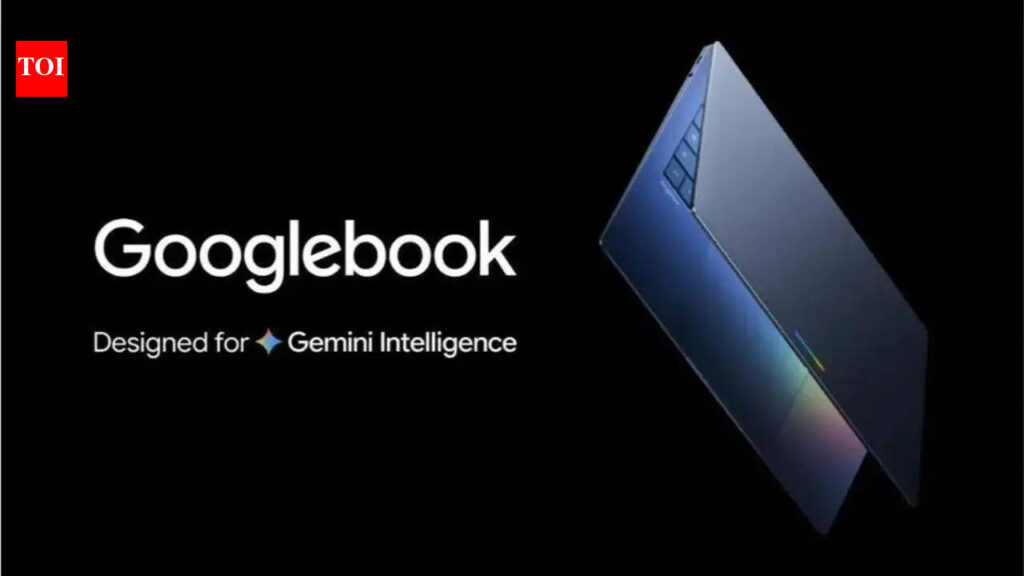
Table of Contents
A New Paradigm in Personal Computing
Google has officially entered the premium hardware fray with the Googlebook, a device that represents more than just a new SKU in its hardware lineup. This is an aggressive attempt to pivot the entire concept of a laptop from a document-and-browser machine into an AI-first computing platform. By weaving Gemini AI directly into the kernel of the operating system and blurring the lines between Android and desktop computing, Google is attempting to solve the fragmentation that has plagued ChromeOS for a decade.
- OS Convergence: Googlebook runs a hybrid environment where Android apps operate with full desktop parity, powered by a deeply integrated Gemini AI layer.
- Strategic Market: India is the primary launch focus, targeting a growing demographic of “AI-native” developers and premium consumers.
- Hardware Focus: The device relies heavily on dedicated NPUs (Neural Processing Units) to handle on-device LLM tasks, reducing latency and improving privacy.
- Competitive Stance: It directly challenges the Copilot+ PC movement from Microsoft and the Apple Silicon integration of macOS.
For years, the industry has treated AI as a feature—a sidebar in a browser or a separate app like ChatGPT. The Googlebook treats AI as the interface. Instead of navigating a complex file system, users interact with a system-wide Gemini instance that has read-access to the user’s Google Workspace, emails, and local files, allowing for natural language queries like “Find the budget spreadsheet from last Tuesday and summarize the discrepancies with the Q1 report.”
The Architecture: Blending Android and Gemini
The technical core of the Googlebook is not a simple iteration of ChromeOS. Industry insiders describe it as a convergence layer. Historically, Android apps on ChromeOS felt like windows into a mobile world—clunky and scaled poorly. The Googlebook introduces a new Adaptive UI framework that allows Android applications to reshape themselves based on screen real estate and input method, similar to how iPadOS attempted to evolve the iPad.
At the heart of this experience is the NPU. While CPU and GPU power are standard, Google has optimized the Googlebook for on-device inference. By running smaller, distilled versions of the Gemini model locally, the laptop can perform real-time transcription, live translation of video calls, and complex code completion without needing a round-trip to a Google data center. This addresses one of the primary criticisms of AI integration: the privacy risk associated with sending sensitive corporate data to the cloud.
The Specification Reality
To compete with the MacBook Air M3 or the latest Snapdragon X Elite-powered Windows laptops, Google has leaned into high-efficiency ARM architecture. While official benchmarks are still rolling out, early data suggests a focus on thermal efficiency over raw peak performance, aiming for the 18-22 hour battery life window that has become the gold standard for premium portables.
| Feature | Googlebook Expectation | Industry Standard (Premium) |
|---|---|---|
| AI Processing | Dedicated Gemini NPU | Generic NPU / Cloud Hybrid |
| OS Integration | Android/Gemini Hybrid | Traditional Desktop OS |
| Connectivity | Seamless Pixel Ecosystem | Device-specific ecosystems |
Why India is the Crucial Testing Ground
The decision to prioritize India for the Googlebook rollout is a calculated move. India represents one of the fastest-growing markets for premium laptops, but it is also a region where the “mobile-first” mentality is strongest. A significant portion of the Indian workforce and student population entered the digital economy via smartphones rather than PCs. By offering a laptop that feels like a super-powered Android device, Google is speaking the language of the Indian consumer.
However, the Indian market is notoriously price-sensitive. Analysts from firms like IDC and Canalys suggest that for Googlebook to achieve mass adoption beyond the “early adopter” tech crowd, it must hit a price point that doesn’t alienate the mid-premium segment. If Google positions this as a luxury item exclusively for the top 1% of urban professionals, it risks becoming a niche curiosity rather than a market disruptor.
Furthermore, the infrastructure in India—ranging from 5G rollout speeds to the prevalence of cloud-based startups—provides a perfect environment to test whether Gemini’s productivity gains are actual time-savers or merely “AI novelty.” If a developer in Bengaluru can legitimately replace three separate workflow tools with a single integrated Googlebook AI interface, the product has a winning formula.
Breaking Down the “AI-First” Claim
When a company claims a device is “AI-first,” it often translates to “we added a chatbot button.” Google is attempting to avoid this trap. In the Googlebook, AI is meant to be the orchestrator. This means the OS doesn’t just wait for a command; it anticipates needs based on context.
For example, if you have a Calendar invite for a project kickoff, the Googlebook can automatically prep a folder containing all relevant documents, draft a preliminary agenda based on previous meeting notes, and suggest a time for a follow-up, all before you even open the laptop. This is Agentic AI—where the software performs actions, not just generates text.
The Challenge of Tangible Productivity
The critical question remains: Does this actually make people faster? The history of computing is littered with “revolutionary” interfaces that failed because they added complexity rather than removing it. For the Googlebook to succeed, it must prove that AI integration reduces the “cognitive load” of multitasking. The risk is that users may find the AI too intrusive or that the on-device models aren’t yet sophisticated enough to handle complex, multi-step professional workflows without hallucinating.
What This Means for the User
For the average professional, the Googlebook promises a world where the search bar is replaced by a conversation. You no longer need to remember where you saved a file or which app does what; you simply tell the machine what you want to achieve. For developers, it means an integrated environment where Android app testing and deployment happen natively on a desktop-class machine with AI-assisted debugging baked into the OS.
The Competitive Landscape: Apple and Microsoft
Google is walking into a crossfire. Microsoft has spent the last year integrating Copilot into Windows 11, leveraging its deep enterprise ties to make AI a corporate necessity. Apple, meanwhile, has the tightest hardware-software integration in the world with its M-series chips, and is slowly rolling out its own AI features (Apple Intelligence) that prioritize privacy and on-device processing.
Google’s advantage is the Data Graph. No other company has the breadth of data that Google does—Search, Maps, Gmail, Docs, and Android. If the Googlebook can successfully synthesize this data into a coherent user experience without triggering privacy alarms, it creates a “moat” that neither Microsoft nor Apple can easily replicate.
The danger is the “Google Graveyard” effect. Users are wary of investing in new platforms from a company known for killing off promising projects (e.g., Google Stadia, Google+). To build trust, Google needs to commit to the Googlebook as a long-term architectural shift, not just a seasonal hardware experiment.
Technical Hurdles and Limitations
Despite the ambition, there are clear technical hurdles. Running a Large Language Model (LLM) locally consumes significant power and RAM. If the Googlebook requires 32GB of RAM just to keep Gemini responsive, the price will climb, potentially pricing out the very students and creators Google wants to attract. Additionally, the reliance on Android apps means Google must convince developers to optimize their apps for the Googlebook’s specific hybrid environment.
Frequently Asked Questions
What is the difference between Googlebook and a Chromebook?
While Chromebooks are lightweight devices centered around the Chrome browser, the Googlebook is a premium AI-first platform. It features deeper Android integration, a more powerful NPU for local AI processing, and a hybrid OS that allows Android apps to function as full desktop software, moving far beyond the browser-centric model of ChromeOS.
Will the Googlebook be available globally?
While India is the strategic focus for the initial launch and testing phase, Google typically follows a staggered global rollout. Expect availability in the US, EU, and other major markets following the initial Indian market feedback and optimization.
Does the Googlebook require an internet connection for AI features?
No, one of the primary goals of the Googlebook is to perform as much AI processing as possible on-device using its dedicated NPU. This ensures faster response times and better privacy, though some highly complex tasks may still leverage Google’s cloud servers for maximum accuracy.
Can I run Windows apps on a Googlebook?
No, the Googlebook is not designed to run Windows (.exe) files natively. It focuses on the Android ecosystem and web-based applications, aiming to provide a viable alternative to Windows rather than a way to run Windows software.
How does the battery life compare to a MacBook?
Google is targeting the 18-22 hour window using ARM-based efficiency. However, heavy use of on-device AI models can drain the battery faster than traditional browsing. Actual performance will depend on how well the Gemini NPU manages power consumption.
Final Analysis
The Googlebook is a high-stakes gamble on the belief that the next era of computing will be defined by intelligence rather than input. By targeting India, Google is testing its hypothesis in one of the world’s most dynamic tech markets. If the device can move beyond the novelty of “AI features” and provide genuine, measurable productivity gains, it could shift the laptop market’s trajectory. If it fails, it may simply be remembered as another ambitious experiment in the long history of Google’s hardware attempts.