Anker’s PowerExpand 8-in-1 Hub Hits All-Time Low: Dual 4K Support for $40
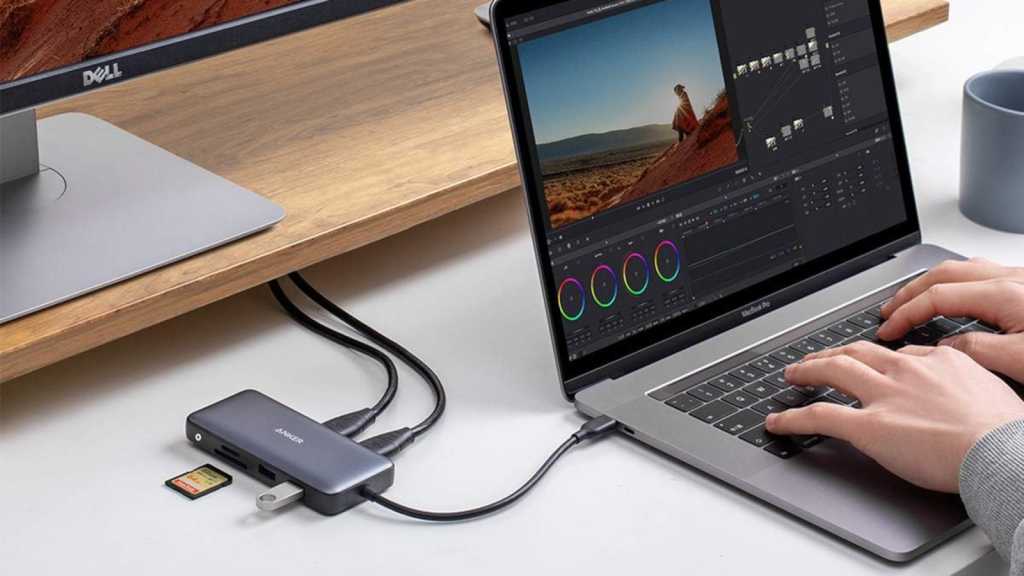
Table of Contents
The struggle against the ‘dongle life’ continues
For several years, the industry trend among laptop manufacturers—led most visibly by Apple and followed by Dell and HP—has been a relentless pursuit of thinness. The casualty of this design philosophy has been the legacy port. While USB-C is an elegant, universal standard, the reality for a professional workflow usually requires more than one or two ports. This has created a massive market for ‘dongles,’ and Anker has long been a dominant player in this space.
The Anker PowerExpand 8-in-1 USB-C Hub has recently hit a price floor of $40 on Amazon, matching its lowest ever recorded price. Down from its original $54 MSRP, the hub positions itself as a mid-range solution for users who need more than a simple adapter but aren’t ready to invest in a $200+ Thunderbolt 4 docking station.
Decoding the port layout: What actually matters
On paper, an 8-in-1 hub sounds exhaustive, but the utility depends entirely on the specific controllers used inside. The standout feature here is the dual 4K HDMI output. In a market where budget hubs often limit you to a single 4K display or drop the resolution to 1080p when two monitors are connected, having the overhead for two high-definition screens is a significant productivity boost for remote workers and developers.
Power management is another critical area. This hub supports 85W Power Delivery (PD) via its USB-C port. This means you can plug your laptop’s power brick directly into the hub, and the hub will pass that power through to the machine. It eliminates the need to occupy a second port on your laptop just for charging, effectively turning a single USB-C port into a full workstation hub.
The remaining connectivity is standard but necessary: a Gigabit Ethernet port for stable wired internet, two USB-A ports for peripherals, and both SD and microSD card slots for photographers and content creators.
The technical trade-offs: Speed vs. Price
At the $40 price point, there are inherent compromises that power users should note. The USB-A data ports are limited to USB 3.0 specifications. In practical terms, this means a theoretical maximum speed of 5 Gbps. While this is perfectly adequate for mice, keyboards, and the occasional thumb drive, it is a bottleneck for those utilizing high-speed NVMe external SSDs that can push 10 Gbps or higher via USB 3.2 Gen 2 or USB4.
Furthermore, the hub lacks a dedicated USB-C data port. If your ecosystem is already fully transitioned to USB-C peripherals—such as newer external drives or high-end audio interfaces—you will find yourself needing another adapter just to connect to this hub. It is designed as a bridge between the new USB-C world and the legacy USB-A world, rather than a forward-looking USB4 solution.
Positioning in the current market
When compared to high-end options like the CalDigit TS4 or the OWC Thunderbolt docks, the PowerExpand is a lightweight utility tool. It doesn’t offer the massive throughput of Thunderbolt, but for the vast majority of users—those simply needing a second monitor and a place to plug in a wired mouse—the $40 entry point makes it a compelling value proposition.
As laptops continue to shed ports in favor of thinner chassis, the reliability of the hub becomes the primary concern. Anker’s track record with thermal management in their PowerExpand line generally outperforms the generic, unbranded hubs found on marketplaces, which often suffer from overheating during simultaneous 4K streaming and power delivery.


