The Diminishing Returns of the Upgrade Cycle: Why a 7-Year-Old Surface Laptop Still Holds Its Own
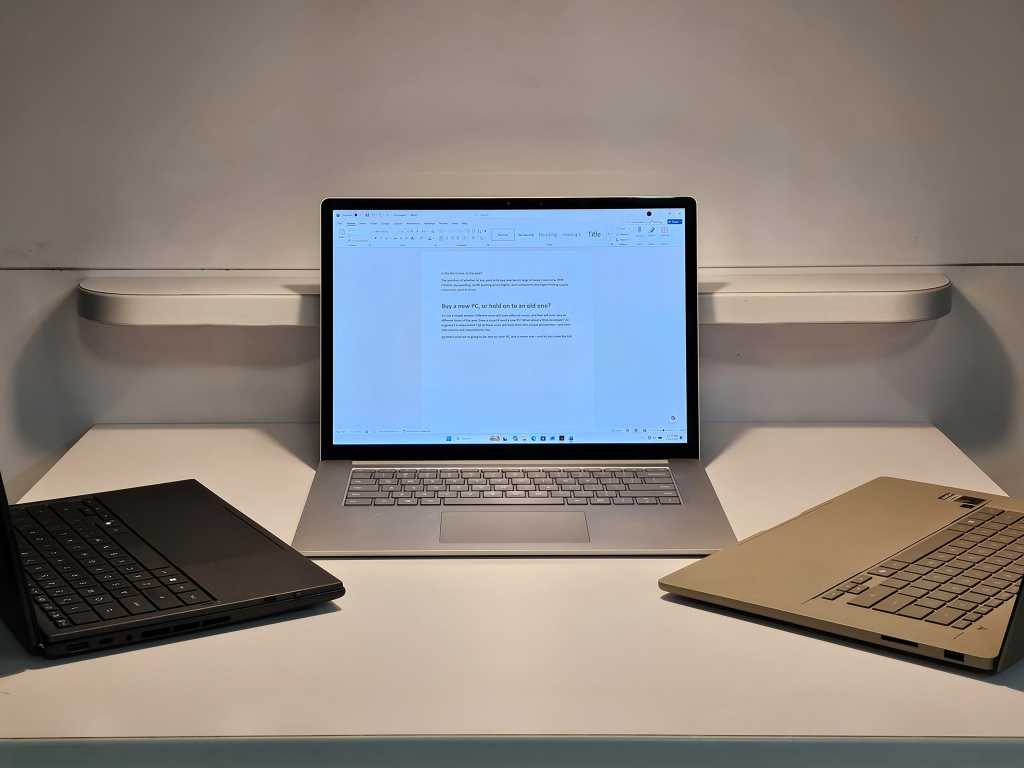
Table of Contents
The Myth of the Mandatory Upgrade
In the marketing collateral for nearly every new laptop launch, there is a standard narrative: the ‘five-year leap.’ Manufacturers love to compare their latest silicon to hardware from half a decade ago because it’s a guaranteed win. It creates a convenient, linear story of progress that justifies a $1,200 price tag. But as the gap between ‘adequate’ and ‘cutting-edge’ performance narrows for the average user, the financial logic of the constant upgrade cycle is beginning to fray.
To test the validity of this cycle, we pitted a lightly used, seven-year-old Microsoft Surface Laptop 3 (SL3) against two of the most modern machines available in 2026: an Asus ZenBook powered by the Snapdragon X2 Elite Extreme (Windows on Arm) and an Asus ZenBook Duo featuring the top-tier Intel Core Ultra 300 (Panther Lake). The goal wasn’t to find the fastest machine—that answer is obvious—but to determine if the delta in real-world usability justifies the cost of a new purchase.
The Boot Time Paradox
The most striking discovery occurred during the first set of tests. In a controlled environment where all startup applications were disabled—save for essential system processes like Microsoft Defender and OneDrive—the 2019 Surface Laptop 3 didn’t just compete; it won. Running a stock version of Windows 11 24H2, the SL3 consistently booted to a responsive desktop roughly 10 seconds faster than the modern Asus machines.
This result is counterintuitive given the massive leaps in NVMe SSD speeds over the last seven years. However, it highlights a recurring issue in modern Windows deployments: the ‘bloat’ of pre-installed OEM software and complex driver initialization sequences that can paradoxically slow down the initial handshake between hardware and OS. While the Surface Laptop Studio 2 came closer to the SL3’s speed, it suffered from erratic outliers, sometimes taking over 40 seconds to stabilize.
Subjective Lag vs. Objective Power
Once inside the OS, the gap became more apparent, though perhaps less critical than benchmarks suggest. In a qualitative test involving 30+ open browser tabs and simultaneous application switching, the SL3—equipped with 16GB of RAM—felt slightly stuttery. There is a perceptible ‘heaviness’ to the interface compared to the instantaneous snap of the Snapdragon X2 Elite.
However, for the vast majority of productivity tasks, this lag is marginal. The primary bottleneck for older machines isn’t necessarily the processor’s clock speed, but the restrictive specifications common in older base models. The SL3’s 256GB SSD, for instance, created immediate friction during a clean Windows installation, leaving almost no headroom for user data. For those who opted for the 8GB RAM configuration seven years ago, the experience today would likely be untenable; but with 16GB, the machine remains a viable tool for document editing, web research, and light media consumption.
The Hardware Ceiling
The divergence becomes stark when moving from OS navigation to heavy lifting. While the Surface Laptop 3 handles a browser reasonably well, it struggles with the modern web’s reliance on complex APIs and heavy frameworks. This is where the Intel Core Ultra 300 and Snapdragon X2 Elite dominate, offering single-core performance that allows for near-instantaneous rendering of data-heavy pages.
This creates a strange dichotomy in the current market. We have reached a point where hardware is vastly over-provisioned for the tasks most people actually perform. The ‘performance hit’ of using a 2019 machine is real, but for a user who doesn’t export 4K video or run local LLMs, that hit is often invisible in the context of a workday.
Recalculating Value
The industry is currently pushing a transition toward AI-integrated PCs and Arm-based architecture to solve power efficiency and latency issues. Microsoft is even reportedly tweaking Windows to further reduce latency for older hardware. But the overarching question remains: at what point does the cost of a new laptop stop buying a meaningful increase in productivity?
If a seven-year-old machine can boot faster and handle a standard browser load with only minor stutters, the ‘five-year upgrade’ isn’t a technical necessity—it’s a consumer suggestion. For many, the most sustainable and economical path isn’t a new purchase, but a strategic hold.