The Diminishing Returns of the E-Ink Upgrade: Is the Kindle Paperwhite Still Worth the Premium?
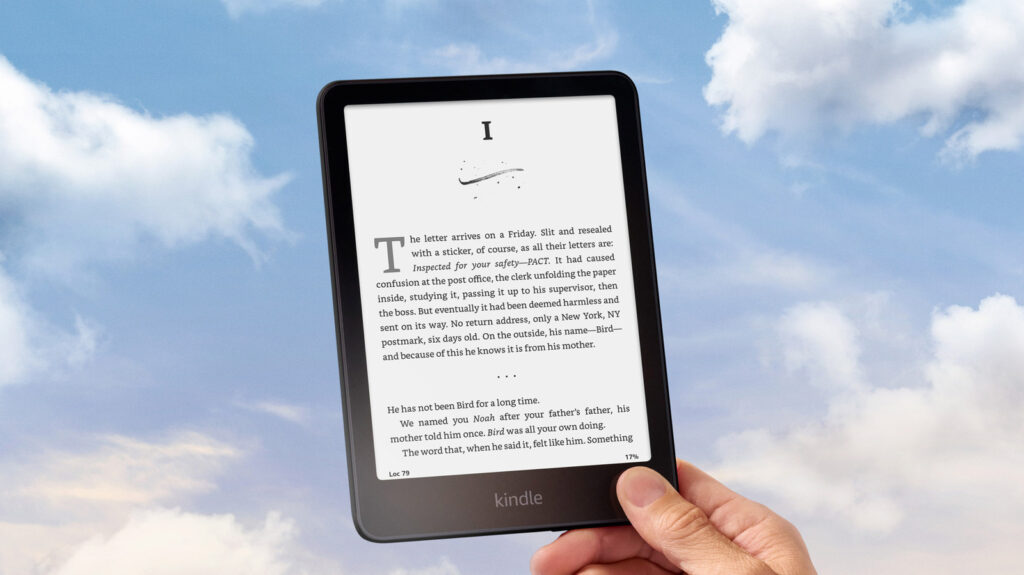
Table of Contents
The Paradox of the Base Model
For the casual reader, the value proposition of Amazon’s e-reader lineup has become increasingly opaque. On one hand, the base Kindle is an exercise in minimalism—a lightweight, distraction-free slab of E-ink that does exactly what it promises. On the other, the Kindle Paperwhite exists as a ‘premium’ tier that doesn’t actually change the fundamental experience of reading, but rather polishes the edges of it. With Amazon recently pruning support for legacy devices, the question for current owners isn’t just whether the Paperwhite is better, but whether those marginal gains justify the price hike.
At a glance, the core utility is identical. Both devices tap into the same massive ecosystem and render text with that signature matte finish that mimics physical paper. However, the shift from a base model to a Paperwhite is less about what you can do and more about how you do it. The friction points of the base model—slower page turns, a smaller viewport, and a lack of lighting flexibility—are exactly what the Paperwhite seeks to eliminate.
The 7-Inch Shift and Visual Ergonomics
The most immediate difference is the real estate. The base Kindle sticks to a 6-inch diagonal, a size that has defined portable e-readers for a decade. The Paperwhite has pushed this to 7 inches across its standard, Kids, and Signature editions. While an extra inch sounds negligible on a spec sheet, in practice, it alters the reading cadence. More text per page means fewer interruptions from page turns, which subtly improves immersion during long-form reading.
But the real differentiator isn’t the size; it’s the lighting. The Paperwhite features an adjustable warm light, a critical addition for those who read primarily in bed. By shifting the color temperature away from the harsh blue spectrum, the device reduces eye strain and minimizes the interference with circadian rhythms—a feature the standard Kindle lacks. For those who prioritize sleep hygiene or have sensitive eyes, this alone often outweighs any concerns about the extra cost.
Performance and the Durability Gap
Amazon claims a 20% increase in processor speed for the Paperwhite over the base model. In the world of E-ink, where refresh rates are naturally sluggish, a 20% boost isn’t about gaming-grade performance; it’s about removing the ‘stutter’ from the user interface. Navigating the store or flipping through a dense PDF feels noticeably snappier on the Paperwhite, reducing the slight cognitive lag that can occur on the base model.
Then there is the matter of environmental resilience. The Paperwhite is built for the ‘vacation’ use case—beaches, baths, and poolside reading—thanks to its IPX8 waterproof rating. The base Kindle, by contrast, is a living-room device. One accidental spill or a drop in the pool renders the base model a paperweight, whereas the Paperwhite is designed to survive immersion. This durability shift transforms the device from a fragile piece of electronics into a rugged companion.
The Weight of Convenience
There is, however, a trade-off in physical ergonomics. The base Kindle is remarkably lean at 5.56 ounces, making it virtually imperceptible in a jacket pocket. The Paperwhite climbs to 7.4 ounces. While still light by tablet standards, that weight difference is felt during one-handed reading sessions over several hours.
For the user who simply wants a digital library in their pocket for a commute, the base Kindle remains the pragmatic choice. But for the ‘power reader’ who spends three or more hours a day with their device, the Paperwhite’s combination of a larger screen, superior lighting, and water resistance creates a frictionless experience that the base model cannot replicate.