Googlebook Unveiled: Is This the AI PC That Finally Kills the Chromebook?
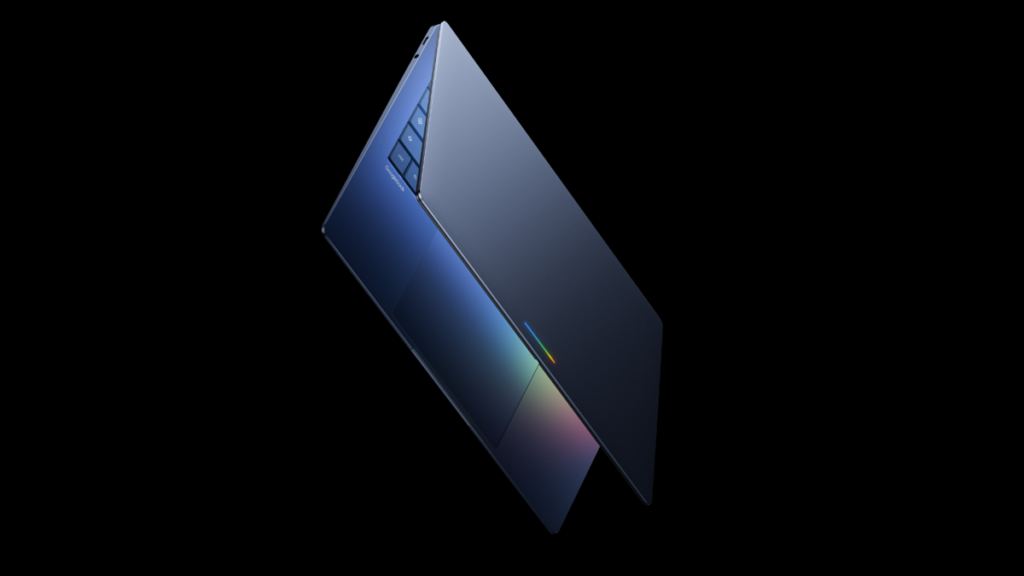
Table of Contents
A Fundamental Shift in Computing
Google has officially stepped beyond the boundaries of the Chromebook with the introduction of the Googlebook. Announced during the Android Show: I/O Edition, this isn’t just a hardware refresh or a new SKU in the ChromeOS lineup; it is a pivot toward what Google calls an “intelligence system.” By decoupling the laptop experience from the traditional browser-centric model of ChromeOS, Google is positioning the Googlebook as a direct competitor to Microsoft’s Copilot+ PCs and Apple’s M-series silicon ecosystem.
For over a decade, the Chromebook was the gold standard for cloud-first computing—essentially a lean machine that outsourced its heavy lifting to Google’s servers. However, the rise of Large Language Models (LLMs) and on-device AI has shifted the requirement from cloud connectivity to local compute power. The Googlebook represents the first time Google has designed hardware specifically to optimize the Gemini AI assistant, integrating it not as a side-bar app, but as the core logic of the user interface.
- Intelligence-First OS: Moves away from standard ChromeOS toward a new, rumored “Project Aluminum” hybrid system.
- Deep Gemini Integration: Features like Magic Pointer allow the AI to interact directly with on-screen elements.
- Android Synergy: Full support for Android apps with new bidirectional casting and file access.
- Premium Ecosystem: Launching via partners including Dell, HP, Lenovo, Asus, and Acer, targeting the mid-to-high-end market.
Decoding the ‘Intelligence System’: Beyond ChromeOS
The most provocative detail of the Googlebook announcement is the operating system. Google Senior Director Alex Kuscher explicitly stated that the device will run a “modern OS designed for Intelligence.” While Google has not used the name “Project Aluminum” in official press releases, the industry consensus and the functional descriptions align perfectly with long-standing reports of a ChromeOS and Android merger.
For years, the friction between ChromeOS (the browser) and Android (the app ecosystem) has been the Achilles’ heel of the Chromebook. By merging these into a single, AI-driven kernel, the Googlebook aims to solve the “app gap.” Users will no longer be choosing between a web app and a mobile app; the OS will dynamically manage these experiences based on the task. This is a strategic move to counter the seamless transition between macOS and iOS, providing a unified experience across Pixel phones and Googlebook laptops.
The ‘Magic Pointer’ and Contextual AI
One of the most tangible innovations is the Magic Pointer. Unlike traditional cursors that merely act as a coordinate for clicking, the Magic Pointer is an AI-aware tool. Using Gemini’s multimodal capabilities, the cursor “understands” what it is hovering over.
In a real-world scenario, wiggling the cursor over a date in a Gmail message doesn’t just highlight the text—it triggers a Gemini action to suggest calendar slots. Even more ambitious is the visual synthesis capability: by selecting two disparate images—say, a photo of a living room and a product shot of a sofa—the Googlebook can instantly generate a composite visualization of that sofa in that room. This moves the AI from a chat box into a functional layer of the OS.
Hardware Strategy: The ‘Glowbar’ and Premium Positioning
Visually, the Googlebook is attempting to carve out a unique identity. The most distinct design element is the “glowbar” lightstrip integrated into the lid. While it may seem cosmetic, in the context of modern AI PCs, these lights often serve as visual indicators for AI processing states or notifications, mirroring the approach seen in gaming hardware but tuned for a professional aesthetic.
Google is not venturing into this space alone. By partnering with Acer, Asus, Dell, HP, and Lenovo, Google is ensuring that the Googlebook is available in multiple form factors—from 13-inch ultraportables to 16-inch workstations. The company’s “Featherweight Design, Heavyweight Power” mantra suggests a focus on high-efficiency ARM-based processors (likely Tensor-powered) that can handle local LLM inference without sacrificing battery life.
Pricing and Market Positioning
We can expect a significant price jump from the average Chromebook. While budget Chromebooks still dominate the education sector at $200–$400, the high-end “Chromebook Plus” models have already pushed the ceiling toward $1,000. Given the “premium craftsmanship” and AI-specific hardware (likely including dedicated NPUs), the Googlebook will likely debut in the $899 to $1,599 range, placing it in direct competition with the Surface Laptop and MacBook Air.
| Feature | Chromebook | Googlebook |
|---|---|---|
| Primary OS | ChromeOS (Browser-based) | Intelligence OS (Android/Chrome Hybrid) |
| AI Integration | App-based (Gemini App) | OS-level (Magic Pointer, Widgets) |
| App Support | Web / Limited Android | Deep Native Android Integration |
| Target Market | Education, Budget, Casual | Power Users, Creatives, Professionals |
What This Means for the End User
For the average consumer, the Googlebook represents the transition from the “Laptop as a Tool” to the “Laptop as a Partner.” If the Magic Pointer and custom Gemini widgets work as advertised, the friction of multitasking—copy-pasting between tabs, manual data entry, and file searching—could be drastically reduced.
The Quick Access and seamless casting features are particularly important for the “mobile-first” generation. Being able to search your phone’s local files from a laptop without a cable or a cloud sync delay is a quality-of-life improvement that Google has teased for years but never fully perfected. This creates a “gravity well” for users already deep in the Google/Android ecosystem, making it harder to switch to a Mac or Windows machine.
The Competitive Landscape: Google vs. Microsoft vs. Apple
Microsoft has defined the current era with “Copilot+ PCs,” focusing on the NPU (Neural Processing Unit) to bring AI to the desktop. Apple focuses on the tight integration of M-series chips with macOS. Google’s approach with the Googlebook is different: they are leveraging their dominance in Search and Data. While Microsoft has the OS and Apple has the Hardware, Google has the most comprehensive map of user intent through Gemini.
The risk for Google is the “Chromebook Legacy.” Many users associate Google’s laptops with cheap plastic and limited functionality. To succeed, the Googlebook must not only be powerful but must feel fundamentally different. The “premium craftsmanship” mentioned by Kuscher is not just about aluminum chassis; it’s about an interface that doesn’t feel like a browser in a box.
Customization via Gemini Widgets
The “Create your Widget” tool is another attempt to move away from static OS design. Instead of choosing from a list of pre-made widgets, users can describe what they want (e.g., “A widget that tracks my flight and shows me a 5-day forecast for the destination city”), and Gemini will build the UI element on the fly. This is a significant leap in personalization that neither Windows nor macOS currently offers at a systemic level.
Critical Caveats and Uncertainties
Despite the optimism, several questions remain. Google has not disclosed specific chipsets. To achieve “heavyweight power” in a “featherweight design,” they will likely need a custom Tensor chip optimized for laptop thermals. Furthermore, the transition to a new OS is always risky; users are hesitant to move to a platform that might lack the legacy software support of Windows or the stability of ChromeOS.
FAQ: Understanding the Googlebook
Is the Googlebook just a rebranded Chromebook?
No. While it shares some DNA, the Googlebook uses a new “Intelligence OS” (likely a hybrid of Android and ChromeOS) and is built from the ground up to support Gemini AI at the system level, rather than as an app.
Can I run Windows apps on a Googlebook?
There has been no mention of Windows app support. The focus is on native Android apps and high-performance web applications. Users requiring specialized Windows software (like full AutoCAD or certain legacy enterprise tools) may still prefer a Copilot+ PC.
What is the ‘Magic Pointer’?
The Magic Pointer is an AI-enhanced cursor that understands the content of the screen. It allows users to perform complex actions—like scheduling meetings or synthesizing images—simply by interacting with on-screen elements.
When will Googlebooks be available?
Google has indicated a release window in the fall of 2026, with initial models coming from partners like Dell, HP, and Lenovo.
How does it differ from a Copilot+ PC?
While both use NPUs for AI, Copilot+ PCs are rooted in the Windows ecosystem. Googlebooks are built around the Gemini ecosystem and a new hybrid OS, focusing more on the synergy between Android and the desktop experience.
Final Analysis: The Gamble on Intelligence
The Googlebook is a bold bet that the future of the PC is not about the operating system, but about the intelligence layer. By moving away from the browser-first philosophy of ChromeOS, Google is admitting that the web is no longer enough. The modern professional needs local power, app fluidity, and an AI that acts as a collaborator rather than a search engine.
If the hardware partners deliver on the “premium” promise and the new OS feels stable, the Googlebook could successfully pivot Google from a provider of budget laptops to a leader in the AI PC revolution. However, the success of the device will ultimately depend on whether Gemini’s on-device integration provides a tangible productivity gain that justifies the higher price point over a standard Chromebook.