Googlebook: Can Gemini AI Actually Save the ChromeOS Laptop Experience?
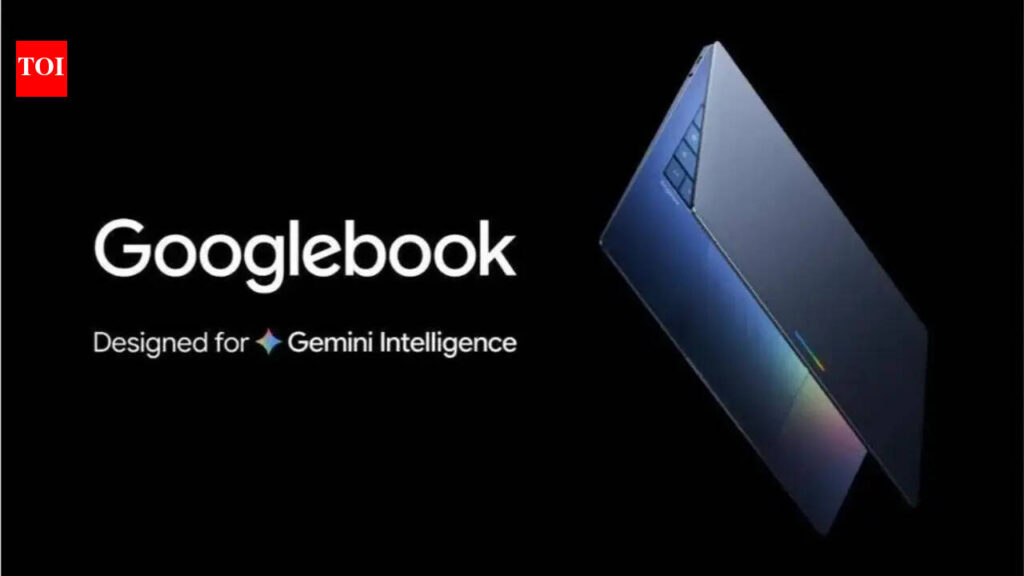
Table of Contents
The Hardware Bet: Google’s Pivot to the ‘AI PC’
For years, Google’s approach to laptops was largely software-defined. ChromeOS was a lean, browser-centric experience that succeeded in education but struggled in the premium professional market. That changes with the arrival of the Googlebook. This isn’t just another laptop with a Google logo; it is a systemic attempt to merge the fluidity of Android, the utility of ChromeOS, and the generative power of Gemini AI into a single piece of silicon-integrated hardware.
- Deep Integration: Googlebook moves beyond simple app-running to a system where Gemini AI manages OS-level tasks and cross-device workflows.
- The Android Bridge: The hardware aims to eliminate the friction between mobile and desktop, allowing Android apps to function as native-feeling desktop productivity tools.
- India as the Litmus Test: By prioritizing the Indian premium market, Google is testing whether AI utility can override brand loyalty to Windows and macOS in a price-sensitive but tech-hungry region.
- The Core Challenge: Success depends on moving Gemini from a ‘chat bot’ to a ‘system agent’ that handles actual file management and software automation.
The timing is not accidental. Microsoft has already pushed the ‘Copilot+ PC’ narrative, and Apple is aggressively integrating ‘Apple Intelligence’ into its M-series chips. Google is playing catch-up in the hardware race, but it possesses an advantage neither competitor has: a dominant search engine and a mobile ecosystem (Android) used by billions. The Googlebook is the physical vessel for this ecosystem’s convergence.
Gemini AI: From Chatbot to Operating System
The defining feature of the Googlebook is not its chassis or its screen, but the implementation of Gemini AI. In previous iterations, AI on ChromeOS felt like a tacked-on extension. On the Googlebook, Gemini is designed to act as a system-wide agent. This means it doesn’t just answer questions in a sidebar; it can theoretically reorganize your Google Drive, summarize a 50-page PDF while you’re on a Zoom call, and automate repetitive data entry across different Android apps.
To achieve this, Google has optimized the hardware to handle Local Large Language Models (LLMs). While much of the heavy lifting still occurs in the cloud, the Googlebook utilizes a dedicated NPU (Neural Processing Unit) to handle on-device tasks, reducing latency and improving privacy. This move addresses a critical pain point for professional users: the fear that every AI prompt is sending sensitive corporate data to a server.
The Android Convergence Strategy
One of the most persistent criticisms of ChromeOS has been its ‘half-and-half’ nature—sometimes a browser, sometimes an Android tablet. The Googlebook attempts to solve this by introducing a unified runtime environment. Instead of running Android apps in a container (which often leads to poor scaling and lag), the Googlebook utilizes a new architecture that allows Android apps to resize dynamically and integrate with the desktop’s file system.
Imagine a workflow where you start a document in Google Docs on your Pixel phone, and as you open your Googlebook, the AI has already parsed your recent mobile notes and drafted a structured outline in the document. This is the ‘cross-device integration’ Google is betting on to lure users away from the MacBook’s seamless ecosystem.
Why the Indian Market is the Real Battleground
While the US and Europe are traditional strongholds for premium tech, Google has strategically positioned India as a primary testing ground for the Googlebook. This is a calculated move based on three specific market dynamics: the massive growth of the ‘aspirational’ middle class, the high penetration of Android smartphones, and the shift toward digital-first entrepreneurship in the region.
In India, the laptop market is historically dominated by Windows. However, there is a growing segment of developers and creators who find the Windows environment cluttered and the MacBook prohibitively expensive or overly restrictive. Google is positioning the Googlebook as a high-performance, AI-driven alternative that feels more modern than Windows but is more accessible than the macOS ecosystem.
The Price-to-Performance Paradox
The challenge in India is that ‘premium’ is relative. Users are willing to pay for high-end specs, but they demand tangible productivity gains. Analysts suggest that if the Googlebook is priced similarly to a MacBook Air, it will struggle unless the AI features provide a 2x increase in efficiency. If the AI is merely a novelty—such as writing emails or generating images—it will not justify the switch. The hardware must deliver on battery life and thermal management, areas where Google’s previous hardware attempts (like the Pixel tablets) have seen mixed results.
Technical Breakdown: NPU and Local AI Processing
To understand why the Googlebook differs from a standard Chromebook, we have to look at the silicon. Standard Chromebooks rely on the CPU and GPU for almost everything. The Googlebook introduces a specialized NPU designed specifically for tensor operations. This allows for Local AI Inference, meaning the device can perform tasks like real-time translation, noise cancellation, and text prediction without needing an internet connection.
| Feature | Standard Chromebook | Googlebook (AI-First) |
|---|---|---|
| AI Processing | Cloud-Based (Gemini Web) | Hybrid (Local NPU + Cloud) |
| App Integration | Android Containers | Unified Android/Chrome Runtime |
| OS Logic | Browser-Centric | Agent-Centric (Gemini OS) |
| Hardware Focus | Low Cost / Durability | Premium Build / AI Performance |
This shift to local processing is critical for the ‘Pro’ user. A journalist or coder cannot rely on a 2-second cloud lag when they are trying to auto-complete a complex block of code or transcribe a live interview. By moving the AI to the edge, Google is attempting to make the AI feel like a part of the keyboard and trackpad, rather than a website you visit.
What This Means for the Consumer
For the average user, the Googlebook represents a shift in how we define a ‘computer.’ We are moving away from the era of ‘Applications’ and into the era of ‘Intentions.’ In a traditional OS, you open an app to do a task. In an AI-first OS like the one Google is proposing, you state your intention (e.g., ‘Plan a trip to Tokyo using my budget spreadsheet and flight emails’), and the OS orchestrates the apps in the background to provide the result.
For Students: This means an end to the ‘tab overload.’ Instead of having 50 tabs open for research, the AI can synthesize information across those tabs into a single workspace.
For Professionals: It means a potential reduction in ‘administrative friction’—the time spent moving files, renaming folders, and searching for that one email from three weeks ago.
The Risks: Privacy and the ‘AI Fatigue’
Despite the ambition, the Googlebook faces a steep climb. There is a growing sense of ‘AI fatigue’ among consumers who are tired of every product being rebranded as ‘AI-powered’ without actual utility. If the Googlebook’s AI fails to outperform a simple set of keyboard shortcuts, it becomes an expensive novelty.
Furthermore, privacy remains the elephant in the room. For Gemini to be a truly effective ‘agent,’ it needs access to everything: your emails, your calendar, your files, and your browsing history. While Google claims the NPU handles sensitive data locally, the trust gap between Google and its users remains a significant hurdle, especially in the wake of previous privacy controversies.
The Competitive Landscape
Microsoft has the ‘Enterprise’ lock. Most businesses are built on Office 365 and Active Directory. Switching to a Googlebook isn’t just a hardware change; it’s a workflow change. Apple has the ‘Brand Halo.’ The MacBook is a status symbol and a benchmark for build quality. Google cannot compete on status alone; it must compete on functional superiority. The Googlebook must be so much faster and smarter that the friction of switching becomes irrelevant.
Frequently Asked Questions
Is the Googlebook different from a Chromebook?
Yes. While it likely uses a version of ChromeOS as its base, the Googlebook is a premium hardware tier with a dedicated NPU for local AI processing and a unified runtime for Android apps, moving away from the browser-centric model of traditional Chromebooks.
Will it run Windows apps?
No. The Googlebook is designed around the Google ecosystem (ChromeOS and Android). While it can run web-based versions of many Windows apps (like Microsoft Word via Office 365), it does not natively support .exe files.
How does the AI improve battery life?
By using a dedicated NPU for AI tasks instead of the general-purpose CPU, the device can perform complex operations (like background noise removal or text prediction) with significantly lower power consumption.
Is Gemini AI built-in or a subscription?
Basic Gemini functionality is integrated into the OS. However, advanced features (Gemini Ultra or Pro) may require a monthly subscription, similar to the Google One AI Premium plan.
Why is India a focus for the launch?
India has a massive, young, tech-savvy population and high Android adoption. It serves as a perfect market to test if AI-first hardware can displace traditional Windows dominance in a high-growth economy.
Journalistic Perspective: The Verdict on Google’s Ambition
The Googlebook is a daring move, but it is essentially a gamble on the definition of computing. Google is betting that the ‘File/Folder/App’ metaphor of the last 40 years is dead and that ‘Prompt/Agent/Result’ is the future. If they are right, the Googlebook is the first true computer of the AI age. If they are wrong, it is simply a very expensive Chromebook with a fancy chatbot.
The real test will not be the launch day sales, but the retention rate six months later. Do users continue to use the AI features to actually work, or do they go back to using the browser and ignore the NPU? The answer to that question will determine if Google can finally transition from a company that makes the tools we use to a company that makes the machine we can’t live without.