Google Brings Gemini Spark to macOS: The Push for True Desktop Automation
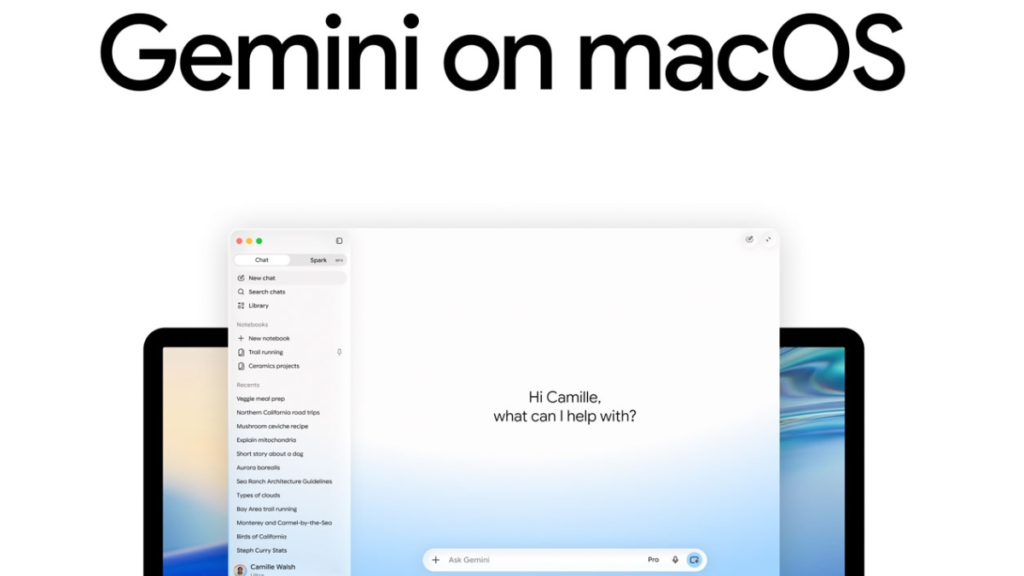
Table of Contents
Moving Beyond the Chatbox
For years, the primary limitation of LLM-based assistants has been the “walled garden” of the chat interface. You could ask an AI to write a budget or organize a schedule, but the actual labor—moving the files, updating the cells, and clicking the buttons—remained a manual chore for the user. Google is attempting to break this cycle by bringing Gemini Spark to macOS in a limited beta rollout.
First teased during the Google I/O 2026 keynote in May, Gemini Spark isn’t just another wrapper for a chatbot; it is positioned as a personal AI agent capable of executing multi-step tasks across a user’s local operating system. By integrating directly with the macOS environment, Spark aims to shift Gemini from a passive information source to an active operator of the desktop.
Local Files and Cross-App Orchestration
The core utility of Gemini Spark on Mac lies in its ability to interact with local file systems and third-party software. Rather than requiring users to upload documents to a cloud drive for analysis, Spark can operate on files stored locally in the Downloads folder or on the desktop. Google highlights a few specific use cases: the AI can identify a cluttered directory of PDFs, categorize them into logical folders based on content, or scan a series of local invoice files to automatically populate a Google Sheet with budget data.
This level of automation extends into the temporal realm as well. Users can set up proactive monitoring and recurring updates, meaning the agent can track a local folder for new invoices and update a workspace spreadsheet on a set schedule without the user needing to initiate a new prompt every time.
The MCP Factor and the Ecosystem War
Perhaps the most significant technical addition for power users is the support for the Model Context Protocol (MCP). By allowing custom MCP integrations, Google is essentially opening the hood of Gemini Spark, enabling developers to create standardized ways for the AI to connect to a wider array of external data sources and specialized tools.
This move is a clear strategic play against Apple’s own deeply integrated Intelligence features and Microsoft’s Copilot+ PC initiatives. While Apple has the home-field advantage on macOS, Google is betting that its superior model reasoning and the flexibility of MCP will make Gemini the preferred “brain” for users who rely on a mix of Google Workspace and local Mac software.
The Privacy Paradox
Granting an AI agent the ability to move files and read local directories inevitably raises red flags regarding security. Google has stated that Gemini Spark operates on a permission-based model, meaning it only accesses files and folders that the user explicitly grants it permission to touch.
However, the transition from “chatting about a file” to “allowing an agent to manage a file system” is a significant leap in trust. As the beta expands, the industry will be watching closely to see how Google handles the telemetry of these local actions and whether the “proactive monitoring” capabilities lead to unintended data leakage or system instability.