Dell XPS 13 vs. MacBook Neo: Can Premium Hardware Save Windows from Its Own Bloat?
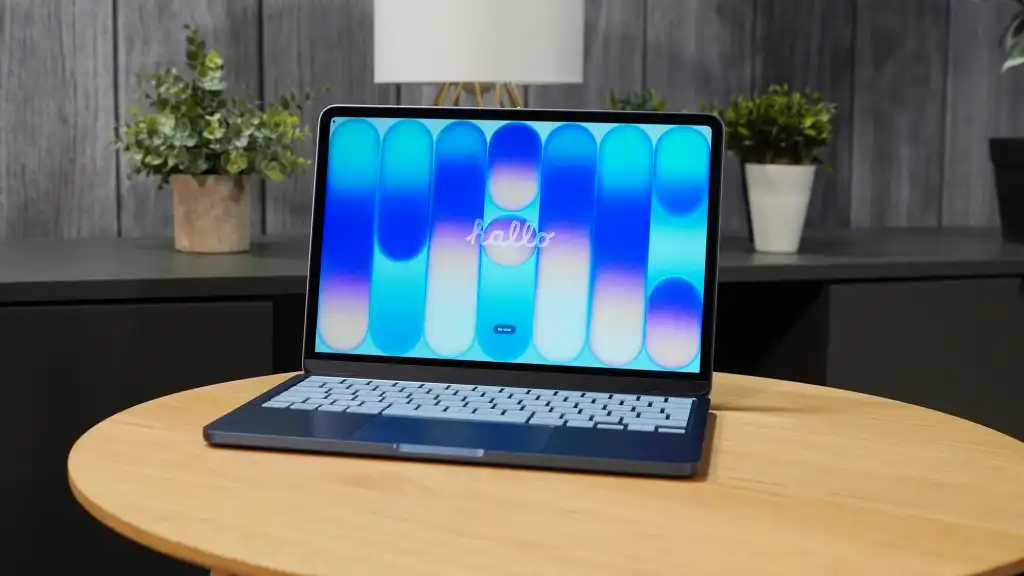
Table of Contents
The Convergence of Budget and Premium Laptops
For years, the sub-$700 laptop market was a wasteland of polycarbonate shells, dim screens, and trackpads that felt like clicking a piece of cardboard. That era effectively ended with the launch of the MacBook Neo. Priced at $599, Apple’s entry-level machine didn’t just lower the price point; it raised the baseline for what “affordable” hardware should feel like. By utilizing an ARM-based processor derived from the iPhone lineage, Apple managed to deliver a chassis that feels like a professional tool rather than a disposable utility.
The industry’s response was predictable and swift. At Computex, Dell unveiled its latest $699 XPS 13, a machine that clearly takes a page from the Neo’s playbook. On paper, the XPS 13 isn’t just a competitor; it’s an attempt to out-spec the MacBook Neo while mirroring its philosophy of “tactile premium.” However, as we dive deeper into the architecture of these two machines, a critical tension emerges: the gap between hardware excellence and software optimization.
- The Hardware Shift: Dell is aggressively moving its premium XPS design language into the $699 bracket to compete with the MacBook Neo’s $599 appeal.
- The RAM Bottleneck: Both machines are shipping with 8GB of RAM, but macOS and Windows 11 handle this limited capacity with vastly different levels of efficiency.
- Silicon Divergence: The MacBook Neo relies on high single-core ARM performance, while the XPS 13 utilizes the new Intel Wildcat Lake architecture optimized for efficiency.
- Software Friction: Windows 11’s systemic bloat remains the primary obstacle for Dell, regardless of how refined the chassis becomes.
Breaking Down the Hardware: Dell’s “Neo-Symmetry”
Having spent a month with the MacBook Neo, the primary takeaway is that Apple focused on the visceral experience. The aluminum unibody, the high-pixel-density display, and the haptic feedback of the trackpad create a psychological sense of quality that usually costs $1,200. When you open a MacBook Neo, you aren’t just accessing a browser; you’re interacting with a refined object.
Dell is attempting to replicate this feeling. The new XPS 13, weighing in at just 2.2 pounds, is an engineering feat in portability. While the MacBook Neo is impressive, Dell has pushed the envelope further in specific areas. The XPS 13 features an OLED panel—a significant upgrade over the Neo’s standard display—and a backlit keyboard that offers a more tactile typing experience. For an additional $100, the Dell provides a screen that is objectively more vibrant and a chassis that is slightly more portable.
The Tactile Equation
In professional hardware evaluation, we often distinguish between spec-sheet power and user-perceived performance. A processor that saves two seconds during a file transfer is negligible; a trackpad that doesn’t stutter or a screen that doesn’t wash out is a constant benefit. Dell’s decision to bring the XPS 13’s build quality down to the $699 level is a direct admission that Apple won the “feel” war. By focusing on the parts of the laptop a user touches for eight hours a day, Dell is finally addressing the “plasticky slab” problem that has plagued budget Windows laptops for a decade.
The 8GB RAM Crisis: A Tale of Two Kernels
The most contentious point of the 2026 laptop cycle is the persistence of 8GB of RAM. In an era where a single Chrome tab can consume hundreds of megabytes and background processes for telemetry and security are constant, 8GB feels like a relic. Yet, both the MacBook Neo and the Dell XPS 13 are leaning into this limitation.
The macOS Advantage: The MacBook Neo’s ability to handle 8GB of RAM is not a miracle of hardware, but a triumph of memory compression and unified memory architecture. Because the processor and RAM are integrated into a single package (Silicon), the data transfer speeds are astronomical. macOS treats memory allocation with a level of aggression that prevents the system from stuttering even under heavy loads. During testing, we observed the Neo handling 4K video scrubbing and nearly 60 open browser tabs without a significant drop in frame rate.
The Windows Hurdle: The Dell XPS 13, powered by Intel’s Wildcat Lake, faces a different reality. Windows 11 is historically more “leaky” with memory. The operating system carries a heavier overhead of legacy code and background services. Even with the efficiency gains of Wildcat Lake, Windows 11’s memory management is qualitatively different from macOS. It doesn’t compress memory as effectively, and it is more prone to “swapping” to the SSD, which can lead to micro-stutters during heavy multitasking.
| Feature | MacBook Neo ($599) | Dell XPS 13 ($699) |
|---|---|---|
| Display | High-Density LCD | OLED (Superior Contrast) |
| Weight | ~2.5 lbs | 2.2 lbs |
| RAM | 8GB Unified | 8GB LPDDR5x |
| OS | macOS (High Optimization) | Windows 11 (High Overhead) |
| Processor | Apple ARM (iPhone-based) | Intel Wildcat Lake |
The Intel Wildcat Lake Gamble
Intel’s Wildcat Lake architecture is specifically designed to fight back against the ARM efficiency of Apple. By focusing on performance-per-watt, Intel aims to give Windows users the same “instant-on” and “all-day battery” experience that the Neo provides. On paper, the XPS 13’s 17-hour battery claim is a direct shot at the Neo’s endurance.
However, hardware cannot entirely solve a software problem. In a recent interview, Microsoft CEO Satya Nadella acknowledged a systemic issue in the PC era: a lack of software optimization. For decades, developers simply waited for the next generation of faster chips rather than optimizing their code. This “brute force” philosophy is baked into the very DNA of Windows. While the Wildcat Lake chip is a masterpiece of efficiency, it is still running an OS that was designed for an era of unlimited resources.
Real-World Multitasking Scenarios
When we push these machines, the divergence is clear. On the MacBook Neo, hot-swapping between a Spotify instance, a Discord call, and a complex spreadsheet feels seamless. The system doesn’t “reload” apps as frequently because the memory management is more intelligent. On a Windows machine with 8GB of RAM, the experience is often a game of “musical chairs.” As you open a new heavy application, the OS is forced to kill or suspend a background process to make room. For a casual user browsing the web, this is invisible. For a power user, it is an irritant that degrades the premium feel of the hardware.
What This Means for the Consumer
The battle between the Dell XPS 13 and the MacBook Neo represents a fundamental shift in how we value laptops. We are moving away from the “Spec Era” (where GHz and RAM numbers were everything) and into the “Experience Era” (where build quality, battery life, and OS fluidity define the value).
If you are a casual user—someone who uses their laptop for Netflix, Google Docs, and a few social media tabs—the Dell XPS 13 is a stunning piece of hardware. The OLED screen alone makes it a more attractive media consumption device than the Neo. In this use case, the 8GB RAM limitation is a non-issue, and the Windows 11 bloat is manageable.
However, if you are a “Pro-sumer”—someone who keeps 30+ tabs open, uses creative software, or juggles multiple communication apps—the MacBook Neo’s software-hardware integration provides a safety net that the Dell simply cannot match. You aren’t paying $599 for the brand; you’re paying for the fact that 8GB on macOS is effectively 12GB on Windows.
The Regulatory and Market Angle
This competition is also driving a necessary change at Microsoft. The reports that Microsoft’s primary goal for 2026 is to “make Windows 11 less shitty” (focusing on reliability and reducing bloat) is a direct reaction to the success of ARM-based laptops and the migration of users to Linux for better performance. Dell is doing everything right on the hardware side; now, the burden of success falls on Microsoft to optimize the kernel.
Frequently Asked Questions
Is 8GB of RAM enough for a Windows laptop in 2026?
For basic tasks like web browsing, streaming, and office work, 8GB is sufficient. However, for multitasking, 4K video editing, or heavy gaming, it is a significant bottleneck. Windows 11 typically requires more memory overhead than macOS to maintain smoothness.
How does the Intel Wildcat Lake processor compare to Apple’s silicon?
Apple’s silicon focuses on extreme single-core efficiency and unified memory, which makes apps feel “snappier.” Intel’s Wildcat Lake is designed to bring that same efficiency to the x86 architecture, significantly improving battery life over previous Intel generations, though it still struggles with the OS overhead of Windows.
Why is the Dell XPS 13 more expensive than the MacBook Neo?
The higher price point ($699 vs $599) is largely attributed to the inclusion of an OLED display and a more premium backlit keyboard, which are hardware upgrades over the Neo’s standard screen.
Can I upgrade the RAM on the Dell XPS 13?
Most modern XPS 13 models use soldered LPDDR memory to achieve their thin profiles and high speeds, meaning the RAM cannot be upgraded after purchase. Always verify the specific model’s specifications before buying.
Which laptop has better battery life?
While the Dell XPS 13 claims 17 hours, real-world testing often favors the MacBook Neo due to the deep integration between the ARM processor and macOS, which manages background power consumption more effectively.
Final Editorial Perspective
The Dell XPS 13 is a testament to how far Windows hardware has come. It is a beautiful, lightweight, and powerful machine that proves Dell can compete with Apple’s industrial design. But hardware is only half the story. The “ghost in the machine'” is Windows 11. Until Microsoft delivers on its promise to strip away the bloat and optimize memory handling, the most beautiful Windows laptop in the world will still feel slightly less fluid than a budget Mac. For now, the MacBook Neo remains the gold standard for the budget-premium segment, not because it has the best specs, but because it has the best harmony.