Apple Ends Intel Mac Era With macOS 27: Compatibility List and Transition Guide
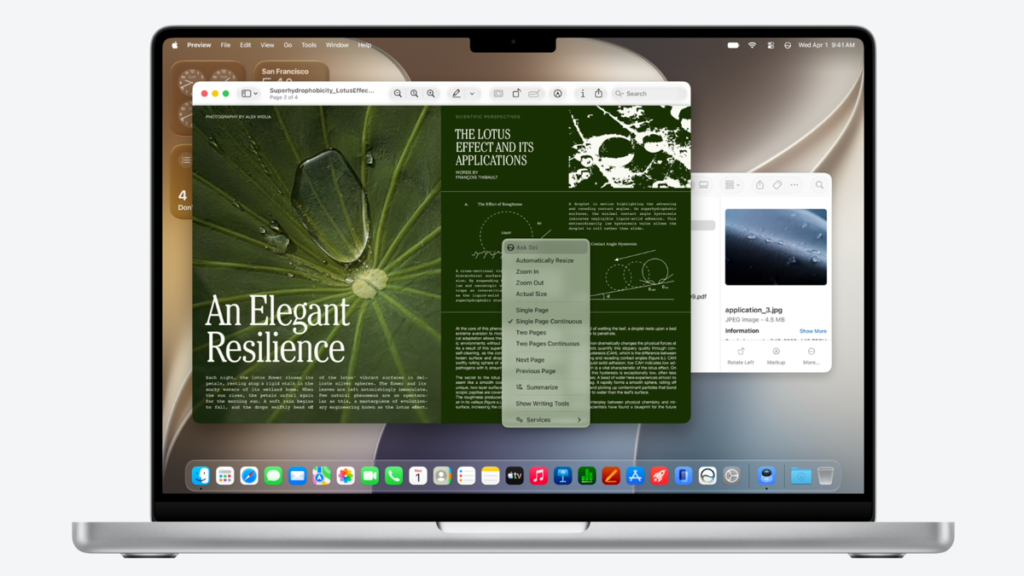
Table of Contents
The Final Curtain for Intel-Based Macs
Apple has officially closed the chapter on the Intel era. During the opening keynote of WWDC 2026 on Monday, June 9, the company unveiled macOS 27 (codenamed ‘Golden Gate’), confirming that the latest operating system will exclusively support Macs equipped with Apple Silicon. This move marks a definitive pivot toward a unified architecture, effectively rendering all Intel-powered MacBooks, iMacs, and Mac minis ineligible for the latest major OS update.
- Hard Cutoff: macOS 27 requires an M1 chip or later; Intel Macs are no longer supported.
- AI Integration: Next-gen Siri and Apple Intelligence features are tied to the Neural Engine found in M-series silicon.
- Legacy Support: Intel Macs running macOS 26 will likely receive security patches for approximately two more years.
- Design Shift: The ‘Liquid Glass’ aesthetic introduces significant UI customization and transparency effects.
For users still relying on an Intel-based MacBook Pro or Air, this isn’t just a missing feature set—it’s a signal that the hardware has reached its functional ceiling. While the machines will continue to boot and run existing apps, the gap in capability between Intel and Apple Silicon has finally become too wide for Apple to bridge with software optimization.
The macOS 27 Compatibility List: Who is Still In?
If your Mac features an Apple Silicon chip (M1, M2, M3, M4, or the latest M-series iterations), you are cleared for macOS 27. The requirement is straightforward: M1 or newer.
Supported MacBook Models
The following laptops will receive the full macOS 27 update:
- MacBook Air: All models released from 2020 (M1) onward.
- MacBook Pro: All models released from 2020 (M1) onward, including the 13-inch, 14-inch, and 16-inch variants.
Supported Desktop Models
The transition extends across the entire desktop lineup:
- iMac: 24-inch models (M1, M3, and later).
- Mac mini: Models from 2020 (M1) onward.
- Mac Studio: All models (M1 Max/Ultra and later).
- Mac Pro: All models (M2 Ultra and later).
If your device is not on this list, it is likely an Intel-based machine. Specifically, any MacBook Pro from 2019 or earlier, or the 2020 Intel-based MacBook Air, are now officially legacy hardware in the eyes of macOS 27.
Technical Breakdown: Why the Intel Cutoff Happened Now
To understand why Apple is dropping Intel support, we have to look at the Neural Engine (NPU). macOS 27 isn’t just a visual refresh; it’s a platform for deep integration of generative AI. The new ‘Siri AI’ assistant and the expanded Apple Intelligence suite rely on local, on-device machine learning models that require massive throughput and specific architectural instructions that Intel’s x86 processors simply cannot handle efficiently.
Attempting to run these AI models on an Intel chip would result in two major failures: severe thermal throttling (causing the fans to run at maximum speed indefinitely) and unacceptable latency. By limiting macOS 27 to Apple Silicon, Apple ensures that the Unified Memory Architecture (UMA) can be leveraged, allowing the CPU and GPU to share the same memory pool for AI tasks without the bottleneck of a traditional PCIe bus.
The ‘Liquid Glass’ Design Evolution
Beyond AI, the new ‘Liquid Glass’ interface utilizes advanced GPU acceleration for real-time blurring, depth effects, and dynamic lighting. These visual elements are designed for the Metal 3 API and the specific GPU clusters found in M-series chips. On Intel Macs, these effects would likely lead to significant frame drops and UI lag, undermining the ‘premium’ feel Apple aims for with Golden Gate.
What This Means for Intel Mac Owners
If you find yourself holding an Intel Mac, the situation is a tiered decline rather than an immediate bricking of your device. Here is the practical breakdown of what happens next:
The Security Update Window
Historically, Apple provides security updates for the previous two versions of macOS. Since macOS 26 was the final version to support Intel, users can expect critical security patches for the Intel-compatible versions of macOS 26 until roughly late 2028. This means your data remains protected, but your software ecosystem will begin to stagnate.
The App Compatibility Gap
Over the next 12 to 24 months, developers will likely shift their focus. As more apps leverage the M-series’ NPU for features (like AI-driven photo editing or real-time transcription), Intel users will see ‘feature-gated’ software. You may be able to install the app, but the most powerful tools will be grayed out or unavailable.
Resale Value Implications
From a market perspective, the announcement of macOS 27 is a catalyst for a price drop in the used Intel Mac market. As these machines move from ‘current’ to ‘legacy,’ their value as professional workstations will plummet. For those looking to sell, now is the window before the general public realizes that the Intel era has officially ended.
Evaluating the Transition: Is it Time to Upgrade?
Deciding whether to upgrade depends on your specific workflow. For a student using a Mac for web browsing and word processing, an Intel MacBook Pro from 2019 may suffice for another two years.
However, for professionals in creative fields, the jump to Apple Silicon is no longer optional. The performance delta between a 2019 Intel i9 MacBook Pro and a modern M3 or M4 Max is staggering—not just in raw clock speed, but in performance-per-watt. M-series Macs operate cooler, quieter, and with significantly longer battery life, often doubling the endurance of their Intel predecessors.
| Feature | Intel Macs (Legacy) | M-Series Macs (macOS 27) |
|---|---|---|
| OS Support | Stops at macOS 26 | Full support for macOS 27+ |
| Apple Intelligence | Unsupported | Fully Integrated |
| Siri AI | Legacy Version | Next-Gen AI Assistant |
| Thermal Profile | High Heat/Fan Noise | Efficient/Silent |
| Security Patches | Estimated until 2028 | Ongoing |
Comparing the Rollout Timeline
Apple is following its standard deployment cycle for macOS 27. Developers who are part of the Apple Developer Program can download the beta starting today, June 9, 2026. This allows software engineers to ensure their apps don’t break under the new ‘Liquid Glass’ UI or the new AI API calls.
The general public can expect the public beta in July, with the stable, wide-release version arriving in the fall (typically September or October). During this window, users are encouraged to back up their data via Time Machine, as moving from an Intel Mac to an Apple Silicon Mac requires a clean installation or a migration via Migration Assistant to ensure the architecture switch (x86 to ARM) happens smoothly.
A Note on OpenCore Legacy Patcher (OCLP)
For the enthusiast community, tools like OCLP often attempt to bring newer macOS versions to unsupported hardware. While these projects are impressive, they are inherently unstable. Attempting to run macOS 27 on an Intel Mac via a patcher will likely result in the absence of all AI features, as the hardware lacks the physical NPU required, and may lead to severe kernel panics due to the shift in driver architecture.
Frequently Asked Questions
Will my Intel Mac stop working after macOS 27 is released?
No. Your Mac will continue to function normally running macOS 26. You simply won’t be able to upgrade to macOS 27 or access the new AI-driven features and design updates.
Can I still run Apple Intelligence on an Intel Mac with a third-party app?
Unlikely. Apple Intelligence is integrated at the system kernel and hardware levels. While some third-party AI apps (like ChatGPT or Claude) work via the browser, the deep OS integration and system-wide Siri AI require Apple Silicon.
How long will I get security updates for my Intel Mac?
Based on Apple’s historical pattern, you should receive security updates for the last two supported versions of macOS. This typically means about two more years of protection for Intel Macs that can run macOS 26.
Is the M1 chip enough for macOS 27?
Yes. Apple has confirmed that all M-series chips, starting with the original M1, are compatible with macOS 27 and its Apple Intelligence features.
Should I buy a used Intel Mac in 2026?
Generally, no. Unless you have a specific need for Boot Camp (running Windows natively), the lack of macOS 27 support and the inefficiency of the hardware make M-series Macs a significantly better value and investment.
Final Verdict on the ‘Golden Gate’ Transition
The transition to macOS 27 is a bold but necessary move by Apple. By shedding the weight of Intel compatibility, Apple can optimize its software for a single architecture, leading to better stability and more aggressive innovation in AI. While it creates a hardware upgrade cycle for millions of users, the performance gains and the arrival of a truly intelligent OS make the transition inevitable. For those still on Intel, the clock is ticking—not toward a crash, but toward a gradual fade into legacy status.