Apple’s Visual Intelligence Leap: How iOS 27 Redefines Siri’s Multimodal Capabilities
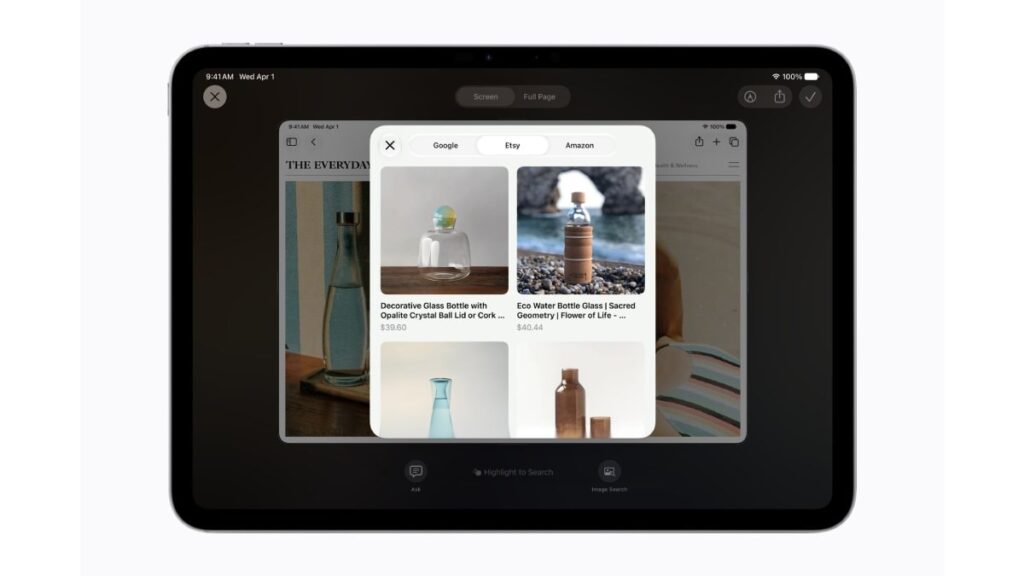
Table of Contents
At the 2026 Worldwide Developers Conference (WWDC), Apple shifted the narrative of its AI strategy from passive assistance to active environmental awareness. The centerpiece of this evolution is the introduction of Visual Intelligence within iOS 27, a deep integration that allows Siri to move beyond voice and text commands to interpret the world through the iPhone’s camera lens in real-time.
- Multimodal Integration: Siri now processes simultaneous visual and auditory inputs, enabling a “Siri Tab” directly within the native Camera app.
- Actionable Intelligence: Users can trigger complex workflows (e.g., adding a spotted product to a shopping list or identifying a plant and finding local nurseries) via a single camera gesture.
- Privacy-First Architecture: Apple continues to lean on Private Cloud Compute, ensuring that visual data used for AI processing is not stored on Apple servers.
- Ecosystem Synergy: The updates extend to iPadOS 27 and macOS 27, creating a unified intelligence layer across the Apple hardware stack.
For years, visual search has been relegated to third-party apps like Google Lens or the siloed functionality of Visual Look Up. iOS 27 changes this by making the camera a primary input for the operating system’s intelligence layer. This is not merely a feature update; it is a fundamental shift in how users interact with their devices, moving toward a “zero-UI” experience where the AI understands context without the user needing to describe it.
Breaking Down the Multimodal Shift: What is Visual Intelligence?
Visual Intelligence is a multimodal AI system that allows a device to ingest and analyze visual data—images and live video feeds—and correlate that data with linguistic requests to perform specific tasks. Unlike traditional image recognition, which simply labels an object (e.g., “Golden Retriever”), multimodal intelligence understands the relationship between the object and the user’s intent (e.g., “Find me a groomer for this dog in my current neighborhood”).
In iOS 27, this manifests as a dedicated Siri interface within the Camera app. By switching to the new Siri tab, the camera ceases to be just a tool for capturing memories and becomes a sensor for information retrieval. According to technical documentation provided during the keynote, Apple has optimized the Neural Engine (ANE) to handle these queries with significantly lower latency, reducing the “time-to-insight” for real-world queries.
The Technical Architecture of the ‘Siri Tab’
The implementation involves a sophisticated pipeline of on-device machine learning models. First, the system performs semantic segmentation to identify distinct objects in the frame. Then, it uses a vision-language model (VLM) to translate those visual cues into a format that the large language model (LLM) powering Siri can understand. This allows the user to ask, “Where can I buy this?” while pointing at a pair of shoes, and have Siri automatically perform a visual search, compare prices, and check local availability.
Practical Applications: Beyond the Hype
To understand the utility of Visual Intelligence, we must look at the specific use cases Apple demonstrated. While the press releases highlight “learning more about what’s in view,” the actual implementation targets high-friction daily tasks.
Consider a professional environment: a user points their camera at a complex network diagram on a whiteboard. Instead of taking a photo and manually searching for terms, the user asks Siri, “Explain the bottleneck in this architecture.” Siri analyzes the visual nodes and connections and provides a textual explanation based on the image content. This bridges the gap between physical whiteboarding and digital knowledge management.
In a consumer context, the “Action-Based Intelligence” is the real winner. If you encounter a restaurant menu in a foreign language, the system doesn’t just translate the text; it can analyze the dishes, cross-reference them with your health data in the Health app, and warn you about potential allergens or suggest the healthiest option based on your dietary goals.
What This Means for the User Experience
The transition to Visual Intelligence represents a move away from the “app-centric” model that has defined the smartphone era. For the last decade, if you wanted to identify a plant, you opened a plant app. If you wanted to translate text, you opened a translation app. iOS 27 attempts to dissolve these boundaries.
For the average user, this means a drastic reduction in cognitive load. The interface becomes invisible. You no longer need to remember which app handles a specific task; you simply point and ask. This is the ultimate realization of the “AI Agent” philosophy—an assistant that sees what you see and knows what you need before you explicitly define the parameters.
For power users and developers, the opening of these multimodal APIs means a new era of accessibility. Developers can now build apps that leverage Apple’s Visual Intelligence framework to create more intuitive interfaces, potentially leading to a new category of “vision-aware” applications that react to the user’s physical environment.
The Privacy Paradox: Local vs. Cloud Processing
A critical point of contention with any camera-based AI is privacy. The prospect of an “always-seeing” AI is a non-starter for many. Apple has addressed this by doubling down on Private Cloud Compute (PCC). While basic visual recognition happens on-device using the A-series chips, more complex reasoning is routed through PCC.
Unlike standard cloud AI, PCC uses a specialized server architecture where data is processed in volatile memory and never stored. Apple’s commitment to this architecture is designed to satisfy stringent EU data regulations (GDPR) and the increasing scrutiny from privacy advocates. However, a point of professional skepticism remains: the efficacy of these systems depends on the volume of data they can process, and the trade-off between absolute privacy and high-accuracy intelligence is a constant tension.
Comparison: Apple Visual Intelligence vs. The Competition
| Feature | Apple Visual Intelligence (iOS 27) | Google Lens / Gemini | Samsung Galaxy AI (Circle to Search) |
|---|---|---|---|
| Integration | Native OS / Camera Tab | App-based / System Overlay | System Overlay / Home Button |
| Actionability | Deep integration with System Apps | High search-intent accuracy | Strong shopping integration |
| Privacy Model | On-device + Private Cloud Compute | Cloud-first (Google Account) | Cloud-first (Samsung/Google) |
| Contextual Memory | Linked to personal Apple ID data | Linked to Google search history | Linked to device settings |
Industry Implications and the Hardware Arms Race
Apple’s move into multimodal AI isn’t just a software play; it’s a strategic hardware play. The demands of real-time visual intelligence are immense. To maintain a fluid 60fps experience while running a VLM in the background, the hardware must be exceptionally efficient. This likely explains the continued emphasis on proprietary silicon and the push for higher RAM capacities in the upcoming iPhone iterations.
Furthermore, this positions the iPhone as the primary “interface device” for the physical world, potentially extending the life of the smartphone as the central hub before the industry fully pivots to wearables or AR glasses. If the iPhone can effectively “see” and “act,” it becomes an indispensable tool for augmented reality, even without a headset.
Industry data suggests that for an AI interaction to feel “natural,” the response latency must be under 200 milliseconds. By integrating Visual Intelligence directly into the Camera app’s pipeline, Apple bypasses the need to launch a separate process, utilizing a shared memory buffer between the camera sensor and the Neural Engine. This reduces the overhead typically associated with multimodal queries.
Frequently Asked Questions
Which iPhones will support Visual Intelligence in iOS 27?
While Apple hasn’t provided a definitive list, it is highly probable that this feature will require the A17 Pro chip or newer due to the memory and NPU requirements of multimodal processing. Expect support for iPhone 15 Pro and all subsequent models.
Does the Siri camera mode record my video to the cloud?
According to Apple’s privacy documentation, Visual Intelligence processing happens either on-device or via Private Cloud Compute. In the latter, the data is processed in a secure enclave and deleted immediately after the request is fulfilled, meaning no permanent record is stored on Apple’s servers.
How is this different from Google Lens?
Google Lens is primarily a search tool that takes you to a website. Apple’s Visual Intelligence is designed to be an action tool. Instead of just giving you a link to a store, it can integrate with your Reminders, Calendar, and Health apps to take a direct action based on what it sees.
Will this feature work offline?
Basic visual identification and some rudimentary actions will work offline via on-device models. However, complex queries that require real-time web data or deep reasoning will require an internet connection to access Private Cloud Compute.
Can I use Visual Intelligence with third-party camera apps?
Currently, this is a native feature of the iOS Camera app. However, Apple typically releases these capabilities as APIs (Application Programming Interfaces) for developers, so we expect third-party apps to integrate Visual Intelligence in future updates.
As the tech industry moves toward a more agentic form of AI, Apple’s integration of visual and linguistic intelligence suggests a future where our devices don’t just respond to us, but actively perceive our environment to provide a more seamless, frictionless existence. The success of iOS 27 will ultimately depend on whether users find this “invisible UI” intuitive or intrusive.