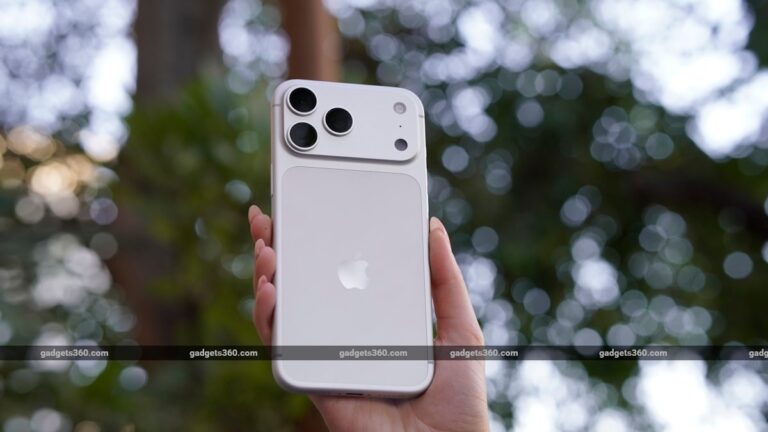
Apple Unveils iOS 27: Siri’s New Visual Intelligence Turns the iPhone Camera Into a Multimodal AI Tool
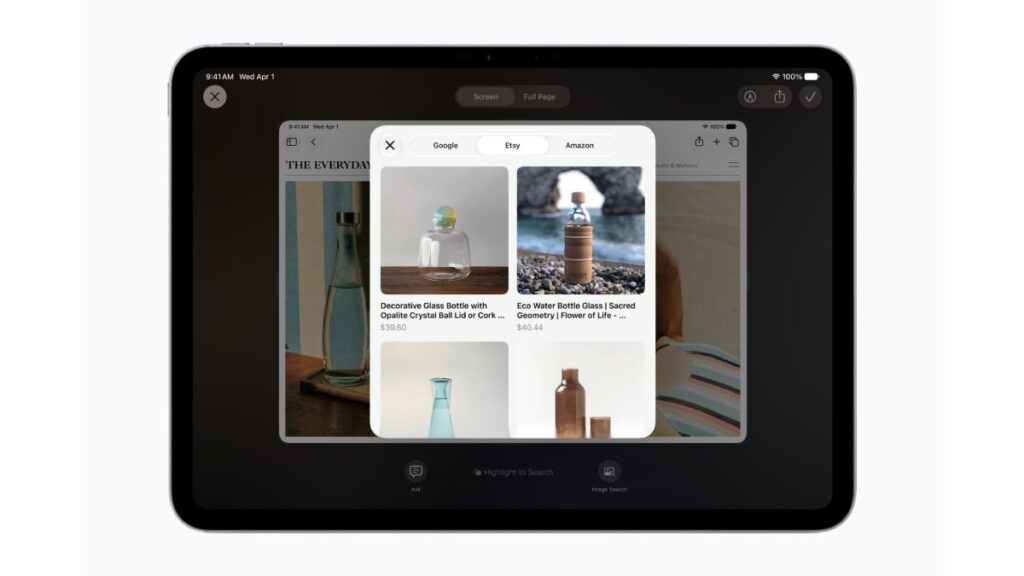
Table of Contents
The Convergence of Sight and Speech in iOS 27
Apple has officially shifted the paradigm of the smartphone interface at WWDC 2026. The announcement of iOS 27, alongside iPadOS 27 and macOS 27, marks the transition from a voice-first AI assistant to a truly multimodal ecosystem. The centerpiece of this evolution is Visual Intelligence, a deep integration between the iPhone’s camera hardware and a revamped Siri that can now ‘see’ and interpret the physical world in real-time.
For years, Google Lens has dominated the space of visual search, but Apple’s approach is fundamentally different. While Lens primarily identifies objects to provide search results, Visual Intelligence is designed for actionable intent. It doesn’t just tell you what a plant is; it allows Siri to schedule a watering reminder, find a local nursery that sells that specific species, or analyze the plant’s health based on leaf discoloration—all without leaving the camera interface.
- Multimodal Integration: Siri can now process simultaneous visual and auditory inputs, enabling real-time interaction with the environment.
- Action-Oriented AI: Visual Intelligence focuses on executing tasks based on camera input rather than just providing information.
- Privacy-First Architecture: Much of the visual processing occurs on-device via the Neural Engine to minimize cloud dependency.
- System-Wide Availability: These features are being deployed across iOS 27, iPadOS 27, and macOS 27 for a unified AI experience.
Beyond the Frame: How Visual Intelligence Actually Works
To understand Visual Intelligence, one must understand the shift to multimodal large language models (MLLMs). Traditional AI assistants process text or voice as separate streams. In iOS 27, Apple has integrated a vision-encoder that feeds raw pixel data from the camera directly into the LLM’s context window. This means Siri isn’t just ‘running a search’ on a photo; it is understanding the spatial relationship and context of the image in a live stream.
In a live demonstration at the Steve Jobs Theater, Apple showed a user pointing their iPhone at a broken espresso machine. Instead of merely identifying the model, Siri recognized the specific error code blinking on the machine’s LED display and immediately pulled up the manufacturer’s troubleshooting guide, highlighting the exact screw that needed tightening. This represents a shift from information retrieval to problem-solving.
The New Siri Camera Tab
The user interface has been streamlined to reduce friction. A new dedicated Siri tab within the Camera app eliminates the need to snap a photo and then upload it to an app. This “Live View” mode allows for a continuous conversational loop. Users can ask, “What’s wrong with this?” while panning the camera, and Siri responds in real-time as new visual data enters the frame.
The Hardware Synergy: A Neural Engine Requirement
Apple’s strategy has always been the vertical integration of hardware and software. The computational demands of real-time visual intelligence are immense. Based on technical specifications released during the developer sessions, the heavy lifting is handled by the Apple Neural Engine (ANE). By utilizing 4-bit quantization for its on-device models, Apple manages to maintain high accuracy while reducing the memory footprint.
Industry analysts note that this heavily favors the newest silicon. While iOS 27 will be available to older devices, the most advanced Visual Intelligence features will likely require the A17 Pro chip or newer. This creates a powerful incentive for hardware upgrades, as the “AI gap” between device generations becomes more apparent in daily utility.
| Feature | Previous Siri (iOS 17-26) | Visual Intelligence (iOS 27) |
|---|---|---|
| Input Type | Voice & Text | Voice, Text, & Live Video |
| Process | Keyword Trigger $\rightarrow$ Query | Continuous Visual Contextualization |
| Outcome | Web Result / App Action | Direct Physical-World Resolution |
What This Means for the Average User
For most people, this isn’t about the technical architecture of MLLMs—it’s about removing the “search bar” from the human experience. We are moving toward a Zero-UI environment where the barrier between a question and an answer is simply the act of looking at something.
Consider the practical implications for accessibility. For users with visual impairments, Visual Intelligence can act as a high-fidelity narrator, describing complex environments or reading handwritten documents in real-time with a level of nuance previously unavailable. In a retail setting, it transforms the iPhone into a personal shopper that can compare prices, check stock in nearby stores, and read reviews—all by simply hovering the camera over a product.
Privacy and the “Always-Watching” Concern
The most significant hurdle for Apple is trust. A camera-integrated AI suggests a level of surveillance that would make users uneasy. To counter this, Apple is doubling down on Private Cloud Compute. When a request is too complex for on-device processing, data is sent to dedicated Apple Silicon servers that do not store the data and are cryptographically verifiable by independent researchers.
By ensuring that the image data is processed in a stateless environment, Apple aims to distinguish itself from competitors whose AI models may use user data for further training. This transparency is critical for the adoption of Visual Intelligence in sensitive areas like medical or legal document analysis.
The Competitive Landscape: Apple vs. Google and OpenAI
Apple is entering a crowded field. Google has Gemini and Lens; OpenAI has GPT-4o. However, Apple’s advantage is the OS-level integration. Neither Google nor OpenAI controls the hardware and the kernel of the device as tightly as Apple does.
When you use GPT-4o to identify an object, you are using an app. When you use Visual Intelligence in iOS 27, you are using the operating system. This allows Siri to trigger system-level actions—like adding a calendar event, sending a message to a specific contact, or adjusting HomeKit settings—without the user needing to switch apps or grant fragmented permissions. This “frictionless flow” is Apple’s primary weapon in the AI wars.
Addressing Common Questions
Will Visual Intelligence work offline?
Basic object recognition and common tasks are processed on-device via the Neural Engine, allowing for limited offline functionality. However, complex queries requiring real-time web data or deep analysis will require an internet connection to access Private Cloud Compute.
Which iPhones support the new Siri multimodal features?
While iOS 27 is compatible with a wide range of devices, the full suite of Visual Intelligence and multimodal capabilities requires the A17 Pro chip or later. Users with older models will see a scaled-back version of these features.
How does this differ from Google Lens?
Google Lens is primarily a search tool. Apple’s Visual Intelligence is an action tool. It integrates with Siri to execute tasks (like setting reminders or automating HomeKit) based on what is seen, rather than just providing a list of search results.
Is my camera data being sent to Apple’s servers?
Apple uses a hybrid approach. Most processing happens on-device. For complex tasks, data is sent to Private Cloud Compute, which is designed to be stateless, meaning your images are not stored or used to train Apple’s models.
Can I disable the Visual Intelligence features?
Yes, these features can be toggled off in the Settings > Siri & Intelligence menu, allowing users to maintain complete control over the AI’s access to the camera.
The Road to a Post-App World
The introduction of Visual Intelligence is more than just a feature update; it is a glimpse into the future of computing. If the last decade was about the “App Store,” the next decade will be about the “AI Agent.” By turning the camera into a primary input for Siri, Apple is reducing the need for users to navigate through a dozen different apps to achieve a single goal.
As we move toward the public release of iOS 27, the success of Visual Intelligence will depend not on its technical prowess, but on its reliability. In the real world, a “hallucination” in a search result is a nuisance; a hallucination in a visual instruction for a piece of machinery could be a disaster. Apple’s commitment to precision and privacy will be the deciding factor in whether this becomes a daily utility or a novelty feature.