Android 17 QPR1 Beta 3 Shifts Focus to ‘Glassmorphism’ and UI Fluidity
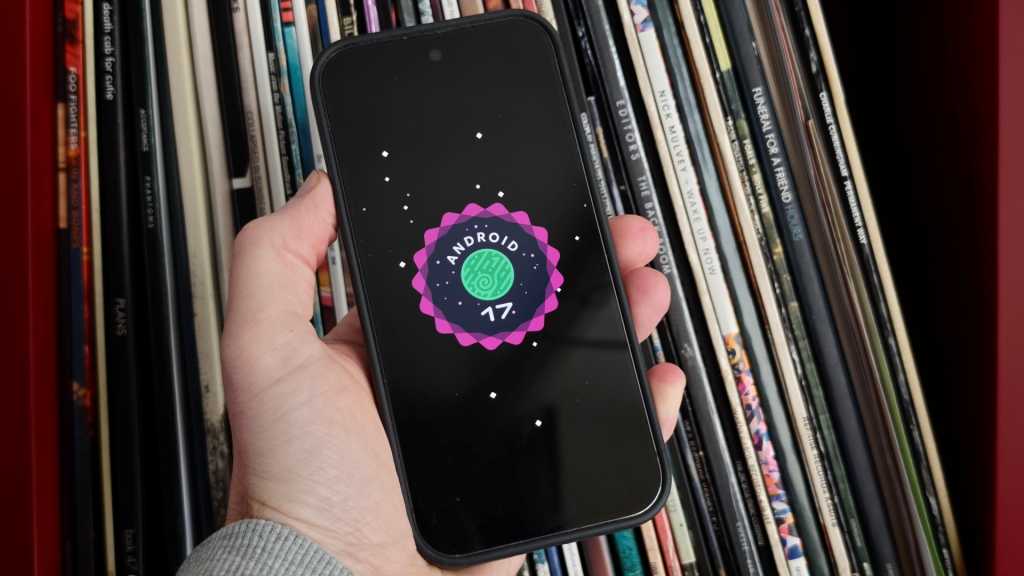
Table of Contents
A Pivot Toward Visual Polish
While the broader industry is still digesting the initial rollout of Android 17, Google has already pivoted toward the first Quarterly Platform Release (QPR1). The arrival of Beta 3 during Google I/O signals a shift in priority: the heavy lifting of core OS architecture is largely complete, and the focus has moved toward the ‘feel’ of the interface.
For those tracking the evolution of Material You, the recurring theme of this build is transparency and depth. Google is leaning heavily into a visual style often referred to as glassmorphism, utilizing aggressive background blur effects to create a sense of hierarchy. This isn’t just aesthetic fluff; it’s a fundamental change in how the OS handles layering, moving away from flat surfaces toward a more dimensional, translucent environment.
Refining the Interaction Model
The most immediate changes are found in the animations. A notable update to the camera trigger—activated by the classic double-press of the power button—now features a directional expansion. Rather than a simple fade-in, the Camera UI now pushes the lock screen ‘fog’ aside, creating a physical sense of transition that feels more integrated with the hardware.
This tactile approach extends to the Quick Settings panel. A new ‘bouncy’ animation has been implemented, giving the menu a spring-like recoil when pulled down. It is a subtle detail, but one that aligns Google’s software experience with the high-frequency haptics and fluid motion found in competitors like iOS and OxygenOS.
Rethinking Media Management
Beyond the visuals, Google is tweaking how users interact with multitasking and media. The media player controls within the Quick Settings menu have undergone a structural redesign. The previous swipe-heavy interaction for switching between active media apps has been replaced by a card-based layout. By utilizing taps rather than swipes, Google is reducing the friction required to jump between a podcast in Spotify and a video in YouTube, suggesting a move toward more explicit, less gesture-dependent navigation in high-density menus.
Similarly, the screen recording utility has seen a logic update. The menu now intelligently defaults to the last used application, streamlining the process for content creators and power users. Additionally, the integration of dedicated toggles for device audio and microphone recording directly within the menu removes the need to dive into deeper system settings mid-recording.
Stability and Hardware Compatibility
As with any beta, the ‘under the hood’ work is substantial. Beta 3 addresses several regressions that have plagued early Android 17 testers. Specifically, Google has pushed fixes for intermittent Wi-Fi disconnections and audio distortion during high-bitrate media playback—two critical issues that would have hindered a stable public launch.
The update also resolves several ‘ghost’ bugs, such as Home Screen widgets spontaneously disappearing and UI glitches that occurred when apps transitioned into full-screen mode. These fixes are essential as Google prepares the foundation for the upcoming September Pixel Drop, which traditionally brings a wave of AI-driven features to the Pixel lineup.
The beta remains available to users signed up for the Android Beta Program. Compatibility spans from the Google Pixel 6 series up through the latest Pixel 10 hardware, ensuring a wide telemetry base for Google to iron out the remaining kinks before the stable QPR1 release hits the general public.