The Diminishing Returns of the PC Upgrade Cycle: Does a 7-Year-Old Laptop Still Hold Up?
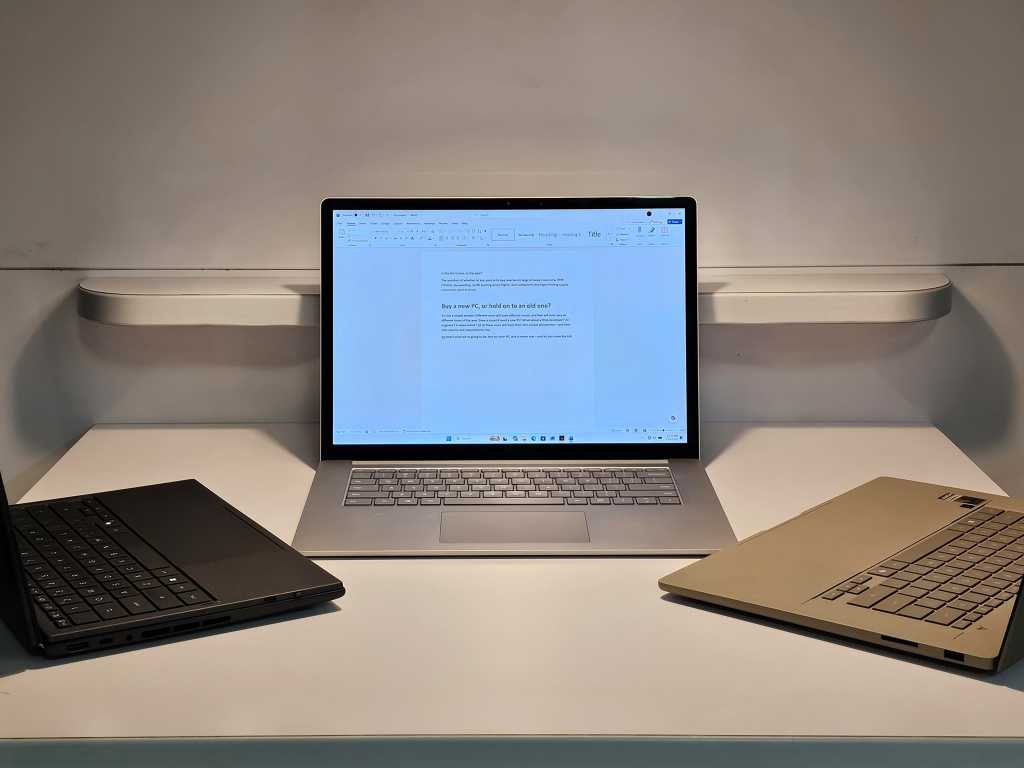
Table of Contents
The Myth of the Linear Upgrade
The industry narrative around laptop longevity is predictable: every few years, chipmakers and OEMs push a new cycle of ‘essential’ upgrades. When performance gains between generations start to plateau—as seen with the recent lukewarm reception of Intel’s Arrow Lake architecture—marketing departments pivot to a different tactic. They stop comparing the new machine to last year’s model and instead compare it to a five-year-old relic. It is a safe bet; almost any modern chip will outperform hardware from half a decade ago.
But in a tightening economy, the question isn’t whether a new PC is faster, but whether it is meaningfully faster. To test this, we pitted a lightly used, seven-year-old Microsoft Surface Laptop 3 against the vanguard of 2026 hardware: the Asus ZenBook (UX3607OA) powered by the Snapdragon X2 Elite Extreme (Windows on Arm) and the Asus ZenBook Duo featuring the top-tier Intel Core Ultra 300 (Panther Lake).
The Boot Time Anomaly
The first data point defied the expected trajectory. In a controlled boot-time test—where all startup applications were disabled except for essential system services like Microsoft Defender and OneDrive—the 2019 Surface Laptop 3 didn’t just compete; it won. Running a stock version of Windows 11 24H2, the aging Surface consistently reached a responsive desktop roughly 10 seconds faster than the 2026 Asus models.
While boot times are largely a function of SSD speed and BIOS efficiency rather than raw CPU horsepower, the result highlights a critical disconnect. We are told that new hardware is objectively superior, yet in a foundational user experience metric, the legacy machine felt snappier. Even the Surface Laptop Studio 2, a much more recent device, struggled to match the SL3’s consistency, plagued by outliers that pushed its average boot time well over 40 seconds.
Real-World Friction vs. Synthetic Benchmarks
Moving beyond the boot sequence, the gap between 2019 and 2026 becomes more apparent, though perhaps not as cavernous as the benchmarks suggest. In subjective daily use—drafting articles, toggling between 30+ browser tabs, and launching productivity apps—the Surface Laptop 3 (equipped with 16GB of RAM) exhibited a noticeable stutter. There is a palpable lag when navigating complex web pages or initiating heavy software, yet it remains entirely functional for standard office work.
The real bottleneck for older machines isn’t always the processor, but the supporting specifications. The Surface Laptop 3’s 256GB SSD, for example, creates significant friction during system resets or large file transfers, a limitation that is barely an issue on modern 1TB or 2TB drives. Furthermore, most OS-level snappiness is driven by single-core, single-thread performance. While the Snapdragon and Panther Lake chips dominate in Cinebench scores, the human perception of that speed is often lost in the noise of background processes and network latency.
The Cost of the Cutting Edge
This experiment suggests that for the average user—those not rendering 4K video or training local LLMs—the ‘performance cliff’ is much shallower than manufacturers claim. When you factor in the premium cost of 2026’s latest silicon, the return on investment for a hardware upgrade is shrinking. The Surface Laptop 3 remains a viable machine not because it is powerful, but because the floor of ‘acceptable performance’ for web-based workflows hasn’t risen as fast as the price of new hardware.
As Microsoft continues to tweak Windows to lower latency and improve responsiveness, the gap between legacy hardware and the latest silicon may narrow even further, challenging the industry’s insistence on a three-to-five-year replacement cycle.