Microsoft’s Copilot Identity Crisis: Why Windows 11 AI is Stuck in a Design Loop
Table of Contents
The UI Seesaw
Microsoft has a history of tinkering with the Windows taskbar, but the current state of Copilot in Windows 11 suggests something more volatile than simple aesthetic refinement. In a move that has caught the attention of power users and beta testers, Microsoft has recently reverted the Copilot AI assistant to its original design, undoing a series of UI updates that aimed to make the assistant feel like a standalone application.
This design flip-flop is more than just a change in pixels. For months, Microsoft has been testing whether Copilot should exist as a persistent side-panel—a digital companion anchored to the edge of the screen—or as a floating, independent window that behaves more like a traditional app. By reverting to the original design, Microsoft is effectively admitting that the “app-like” experience isn’t landing as intended with its massive user base.
The Friction of Integration
The struggle stems from a fundamental tension in OS design: how do you inject a Large Language Model (LLM) into an environment built for file management and windowing? Windows 11 currently holds a commanding lead in the global desktop market—roughly 74% according to 2023 industry data—but that dominance creates a high stakes environment for any UI change. A misplaced button or an intrusive sidebar can alienate millions of users who rely on Windows 10’s stability or the streamlined nature of the current 11 build.
The current reversion suggests that Microsoft is struggling to define the “AI-first” desktop. If Copilot is too integrated, it feels like bloatware; if it is too detached, it feels like a glorified website pinned to the taskbar. This oscillation is occurring while the company is reportedly architecting the next generation of the OS—internally referred to in various leaks as Windows 12—which is expected to lean even more heavily on NPU (Neural Processing Unit) hardware to move AI functions from the cloud to the local device.
Beyond the Taskbar
While the design of the Copilot button remains a point of contention—specifically the addition of a dedicated Copilot key on new keyboards—the deeper issue is functional. Users are reporting a gap between the promise of “AI-powered productivity” and the reality of an assistant that can occasionally change the system theme but struggles with complex file manipulation across different directories.
Comparing this to the trajectory of competitors, Microsoft is in a precarious spot. Apple’s approach to AI has historically been more surgically integrated and less visible, whereas Google’s Gemini is deeply woven into the Chrome ecosystem. Microsoft is attempting to build a bridge between the legacy world of Windows 7 and XP—which still maintain a stubborn, if shrinking, presence in enterprise environments—and a future where the OS is essentially a shell for a generative agent.
The Hardware Pivot
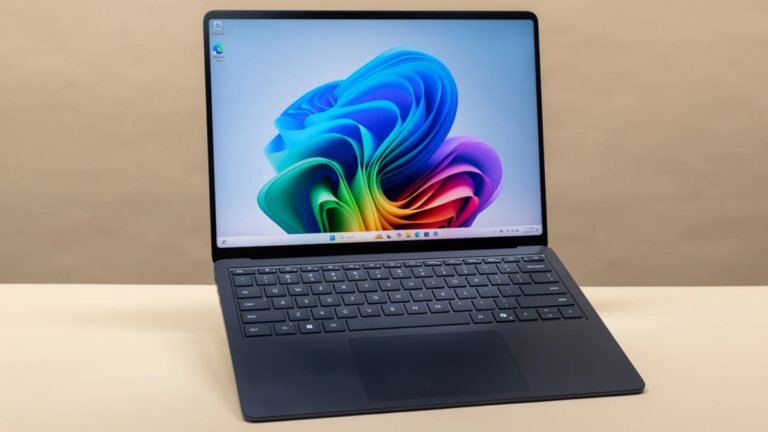
The design instability in Windows 11 may actually be a symptom of a larger transition toward “Copilot+ PCs.” By shifting the AI workload to dedicated silicon, Microsoft can move away from the web-based wrapper that currently defines the Copilot UI. Once the AI is local, the need for a side-panel “chat window” may vanish entirely, replaced by system-wide overlays that don’t require a specific UI anchor.
Until then, Windows 11 users can expect continued experimentation. The reversion to the original Copilot design is likely not the final stop, but rather another data point in a massive A/B test involving millions of endpoints. For the average user, it means the interface they use today might be gone by the next cumulative update.