Hands-on with Google’s AI Glasses: A Glimpse into the Android XR Future
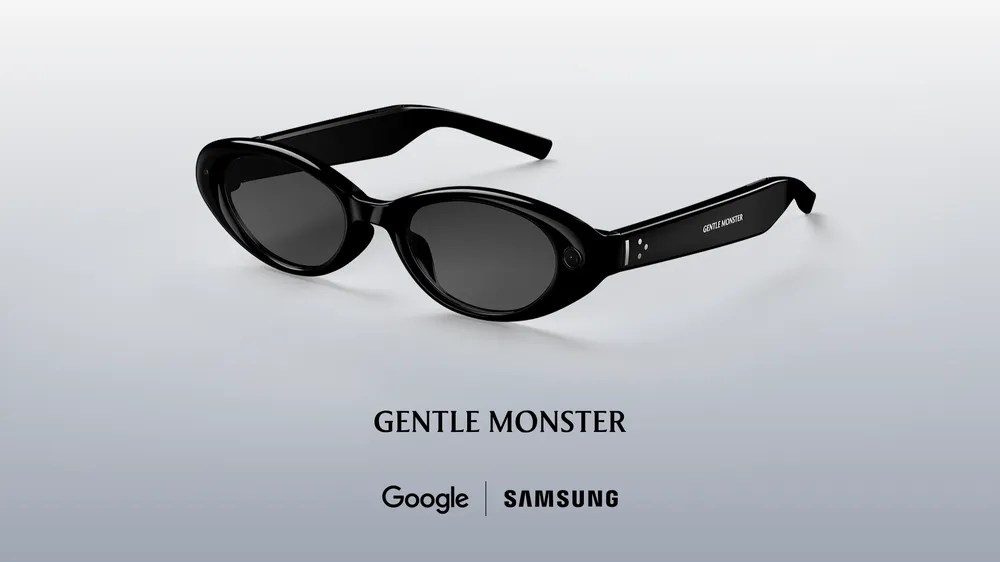
Table of Contents
Beyond the Audio-Only Frame
At this year’s Google I/O developer conference, the buzz surrounding wearable AI shifted from theoretical to tangible. While Google has already teased audio-only smart glasses slated for a fall release, we were granted a brief, high-stakes hands-on with something far more ambitious: the prototype for their upcoming AI-powered glasses featuring a combined audio and visual experience.
These glasses are the physical manifestation of Android XR, Google’s effort to move the operating system from the pocket to the periphery of our vision. Unlike traditional VR headsets, these frames aim for a seamless overlay, projecting widgets—weather updates, Uber arrival times, and walking directions—directly into the user’s field of view. Google is also leaning heavily into the generative era, suggesting that users will eventually be able to design their own custom widgets using AI.
The hardware strategy appears to be a collaborative play. Google is partnering with design powerhouses like Warby Parker and Gentle Monster, as well as Samsung, to ensure the technology doesn’t compromise the aesthetic. The goal is to avoid the ‘cyborg’ look that plagued early AR attempts, blending high-fashion frames with deep-tech internals.
The Prototype Experience
It is important to note that the unit we tested was a prototype—polished enough for external eyes, but far from a consumer product. The frames were bulky and utilitarian, a design choice Google reps explained was necessary to prioritize experimentation with display technology and battery endurance over cosmetic refinement. Many shipping features, such as the sensors that detect when the glasses are worn, were absent in this iteration.
Interaction is driven by Gemini. A two-second press on the right side of the frame triggers a startup chime, signaling that the AI is listening. In the demo, the camera activated simultaneously with the AI, though Google clarified that the final product will allow users to toggle the camera independently for privacy reasons.
The audio experience is functional but modest. Testing music playback in the noisy environment of I/O revealed that while the glasses are convenient for casual listening during a commute or a walk, they aren’t going to replace high-fidelity earbuds. However, they offer a distinct advantage over transparency modes found in Apple’s AirPods; because the ears remain open, environmental awareness is natural and effortless.
Vision and Translation
The visual component is where the Android XR ambition really shows. The prototype featured a single display over the right eye, though the platform is designed to support both single and dual-display configurations. While the image was somewhat fuzzy—possibly exacerbated by the limitations of prescription contacts—the utility was clear.
The standout moment came during a live translation demo. As a demonstrator spoke rapid Spanish, the glasses automatically detected the language, displaying an English transcription in the lens while Gemini provided a simultaneous audio translation in the ear. This particular use case feels like the ‘killer app’ for the hardware, potentially making the glasses an essential tool for international travel.
Navigation also felt intuitive. By asking Gemini for directions to the nearest coffee shop, the glasses coordinated with Google Maps on the paired phone. The result is a hands-free experience where the user never has to fish a device out of their pocket to find their way.
The AI Processing Loop
Google is also experimenting with complex AI manipulations via the glasses. In one test, we used a photo capture button to snap a picture, then asked Gemini to “turn the person into an anime character.” The image was routed from the glasses to the phone, processed via Gemini and Nano Banana servers, and returned as an edited version.
The latency, however, remains a hurdle. On the heavily taxed I/O Wi-Fi, the round-trip for that edit took approximately 45 seconds. While the logic is impressive, the speed of the loop will need significant optimization before this feels like a natural part of a user’s workflow.