AMD Ryzen AI 400 Review: Is the Swift Go 16 AI a Productivity Powerhouse or Just Midrange?
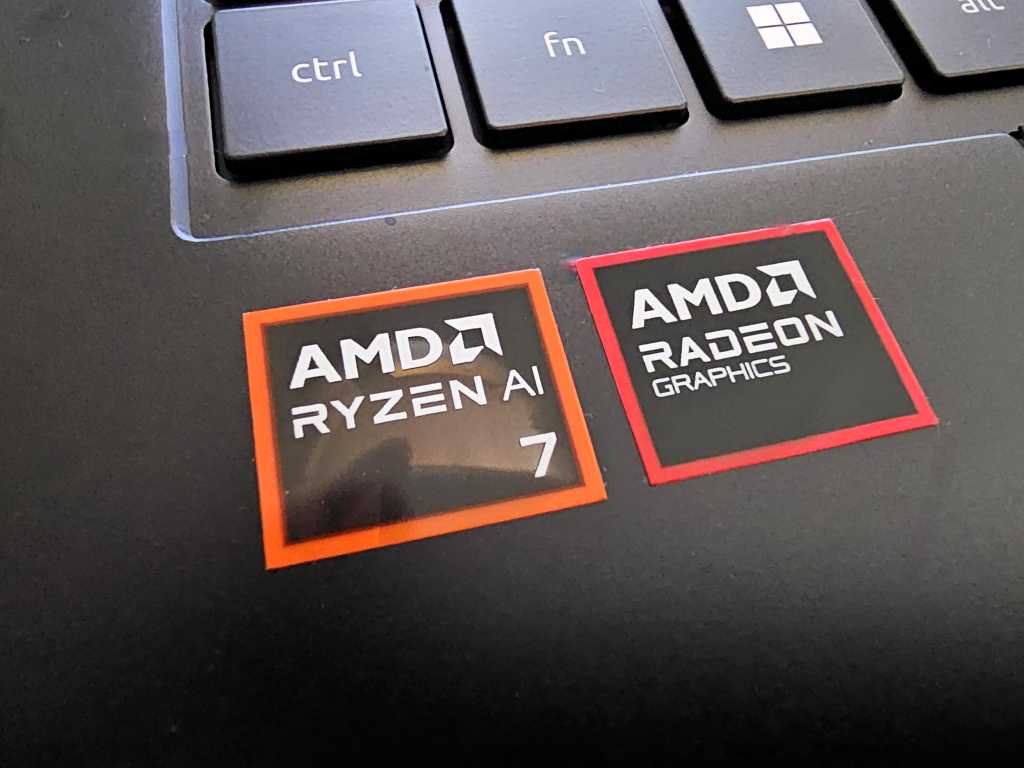
Table of Contents
The 2026 Silicon Arms Race: Where Does AMD Fit In?
For the first time in nearly three decades of covering the microprocessor market, the landscape of the productivity laptop has fundamentally shifted. We are no longer in a duopoly. Between Intel’s aggressive pivot with Panther Lake and Wildcat Lake, Qualcomm’s surprising foothold with the Snapdragon X series, and the entry of Nvidia’s RTX Spark into the integrated space, the consumer has more choice than ever. However, choice brings a new problem: noise. Every manufacturer is claiming “AI PC” status, but the actual delta in user experience remains opaque.
Enter the Ryzen AI 400. AMD announced this series in early 2026 with a relatively quiet rollout, focusing on incremental increases in CPU and GPU clock frequencies rather than a radical architecture overhaul. For many, the preceding Ryzen AI 300 series already hit the sweet spot of efficiency and power. The question now is whether the 400 series offers enough of a leap to justify an upgrade, or if it’s simply a refinement of a plateaued design.
- Incremental Gains: The Ryzen AI 400 focuses on higher clock speeds over architectural shifts, making it an evolutionary rather than revolutionary update.
- Midrange Positioning: Initial testing of the Acer Swift Go 16 AI suggests performance parity with Intel’s Meteor Lake, positioning it as a reliable midrange workhorse rather than a flagship killer.
- Thermal Efficiency: Unlike some high-performance Intel chips that throttle aggressively under load, the Ryzen AI 400 maintains a more stable performance profile in thin-and-light chassis.
- NPU Utility: While TOPS (Tera Operations Per Second) numbers are higher, the actual software ecosystem for local AI workloads is still catching up to the hardware.
Hands-On with the Acer Swift Go 16 AI
To test the efficacy of the Ryzen AI 400, I spent the last few weeks with the Acer Swift Go 16 AI. On paper, this machine is designed for the “prosumer”—someone who needs a large screen for multitasking but doesn’t want to carry a 5-pound workstation. The 16-inch chassis provides ample room for cooling, which is the critical variable when discussing modern AI silicon.
In real-world usage, the machine is remarkably stable. My workflow involves heavy browser loads (often 30+ Chrome tabs), simultaneous Slack and Zoom sessions, and light local LLM (Large Language Model) testing to see how the NPU handles summarization tasks. Where Intel’s Panther Lake occasionally struggles with “bursty” performance—hitting high peaks then throttling down to avoid overheating—the Ryzen AI 400 feels more linear. It doesn’t offer the same dizzying peak speeds, but it doesn’t “turn into a kitten,” as I’ve noted with some under-cooled Panther Lake implementations.
The Performance Paradox: Specs vs. Feel
If you look at the synthetic benchmarks, the Ryzen AI 400 shows a modest increase in multi-threaded performance over the 300 series. However, in a blind test, you would struggle to tell the difference. This is a common trend in 2026: we are seeing a narrowing of the gap between “midrange” and “high-end” for 90% of office tasks. The Acer Swift Go 16 AI feels like a machine built for focus. It doesn’t try to be a gaming rig or a video editing powerhouse; it aims for a frictionless experience.
The integrated graphics are competent, handling 4K output to dual monitors without stutter, but it doesn’t challenge the likes of the RTX Spark. For those primarily using the laptop for spreadsheets, documents, and web-based AI tools, this is more than enough power.
Comparative Landscape: AMD, Intel, and Qualcomm
To understand where the Ryzen AI 400 sits, we have to look at the current competitive matrix. The market has split into three distinct philosophies: raw power, extreme efficiency, and balanced reliability.
| Chip Series | Primary Strength | Trade-off | Best For |
|---|---|---|---|
| Ryzen AI 400 | Consistency & Thermal Balance | Lower Peak Burst Performance | General Productivity / Office |
| Intel Panther Lake | Peak Single-Core Speed | Thermal Throttling in Thin Chassis | Creative Professionals / Devs |
| Snapdragon X2 Elite | Battery Life & NPU Efficiency | App Compatibility (ARM) | Frequent Travelers / Mobile Workers |
The Snapdragon X2 Elite continues to dominate the battery life conversation, often stretching into 15-20 hours of light use. However, the “ARM tax”—the occasional incompatibility with legacy x86 software—remains a hurdle for certain corporate environments. The Ryzen AI 400 avoids this entirely, offering a “just works” experience that is critical for enterprise deployment.
What This Means for the End User
For the average professional, the arrival of the Ryzen AI 400 means that the “perfect” productivity laptop is no longer a mythical unicorn; it’s a commodity. You no longer have to trade off battery life for a chip that won’t lag during a screen-share. We have reached a point of diminishing returns for standard office software. Whether you have a Ryzen AI 400 or a Panther Lake chip, Word, Excel, and Chrome will run identically.
The real differentiator is now the NPU (Neural Processing Unit). The Ryzen AI 400’s NPU is designed to offload AI tasks—like background blur in video calls or local text prediction—from the CPU and GPU. This reduces power consumption and heat. If you are an early adopter of local AI tools (such as LM Studio or specialized medical/legal AI software), the Ryzen AI 400 provides a stable foundation. If you only use ChatGPT in a browser, you are paying for hardware you aren’t fully utilizing yet.
A Note on the “Productivity Mindset”
Hardware is only half the battle. In testing these machines, I’ve found that the most significant gains in productivity don’t come from a 10% increase in clock speed, but from the removal of digital friction. A laptop that doesn’t overheat on your lap and a screen that doesn’t flicker are far more valuable than a higher TOPS rating on a spec sheet. The Acer Swift Go 16 AI excels here by providing a dependable, non-distracting tool.
Technical Breakdown: The AI Engine
The NPU (Neural Processing Unit) in the Ryzen AI 400 is a dedicated circuit designed specifically for the matrix multiplication required by neural networks. Unlike the CPU, which handles general tasks, or the GPU, which handles parallel graphics rendering, the NPU is optimized for low-power, high-efficiency AI inference.
In the Swift Go 16 AI, this manifests as improved “Copilot+” integration. Tasks like live captioning and image generation (via Cocreator) happen locally on the device. This is a critical privacy win; your data isn’t being sent to a cloud server for basic processing, which is a primary requirement for many in the cybersecurity and healthcare sectors.
Thermals and Sustained Loads
One area where AMD consistently outperforms in the 2026 cycle is the performance-per-watt ratio in mid-sized chassis. During a sustained Cinebench loop, the Ryzen AI 400 maintained its clock speed with significantly less variance than the Intel counterparts. This is due to AMD’s refined 4nm process, which allows for better heat dissipation in the Swift Go’s chassis, preventing the dreaded “thermal dip” that often plagues ultra-portables.
FAQ: Understanding the Ryzen AI 400 and AI PCs
Is the Ryzen AI 400 a significant upgrade over the AI 300?
For most users, no. The gains are primarily in clock frequency and slight GPU improvements. If you already own a Ryzen AI 300 laptop, the jump to 400 is not substantial enough to warrant a new purchase unless you are upgrading other hardware components like RAM or Screen quality.
Do I need an AI PC if I only use cloud-based AI like Gemini or ChatGPT?
Not necessarily. Cloud AI relies on the server’s hardware, not yours. However, an AI PC with a dedicated NPU allows for local AI, which is faster for simple tasks, works offline, and is significantly more private.
How does the Acer Swift Go 16 AI compare to a MacBook Air M3/M4?
The MacBook Air still holds the crown for silence (fanless design) and raw battery longevity. However, the Swift Go 16 AI offers a larger screen and better compatibility with the vast library of Windows-native enterprise software, making it a better choice for corporate environments.
What is “TOPS” and why does it matter for this laptop?
TOPS stands for Tera Operations Per Second. It measures how many trillions of operations the NPU can perform every second. While a higher number suggests a faster AI, the actual experience depends on how software developers optimize their apps for that specific NPU.
Will the Ryzen AI 400 support future Windows AI updates?
Yes. Because it meets and exceeds the minimum NPU requirements for “Copilot+ PC” certification, it will support all upcoming AI-driven features pushed via Windows Update through the next several years.
Final Verdict: The Quiet Workhorse
The Acer Swift Go 16 AI powered by the Ryzen AI 400 isn’t a “fireworks” laptop. It won’t win any races in a benchmark war, and it doesn’t redefine the category. But that’s exactly why it works. In a market obsessed with peak numbers, AMD has delivered a chip that prioritizes stability and reliability.
If you are looking for a machine that disappears into the background and lets you focus on your work without thermal throttling or compatibility headaches, this is a strong contender. It represents the transition of AI from a marketing buzzword to a practical, invisible utility that just makes the computer run a bit cooler and a bit smarter.