The Return of the Netbook: Testing the Chuwi Minibook X as a Linux Workhorse
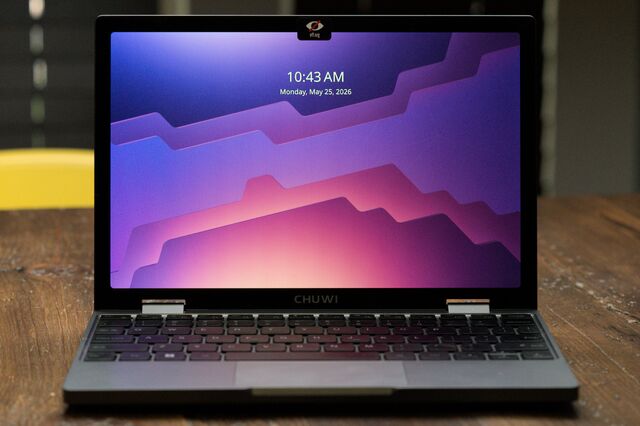
Table of Contents
The Ghost of Netbooks Past
There was a time when the ‘netbook’ was a distinct category of computing—small, underpowered, and designed specifically for the lightweight tasks of the early web. Then the iPad arrived, and the netbook vanished, swallowed by a tide of tablets and increasingly slim ultrabooks. But for a specific subset of users—those who crave the utility of a physical keyboard in a chassis that fits in a small messenger bag—the itch for a truly tiny x86 machine never quite went away.
Enter the Chuwi Minibook X. It isn’t trying to replace a MacBook Pro, nor is it attempting to be a high-end UMPC like the GPD Win series. Instead, it positions itself as a budget-friendly, 10.5-inch sub-ultrabook that balances portability with enough raw horsepower to move beyond mere browsing.
Hardware Specifications and the ‘Cheap’ Paradox
On paper, the Minibook X is surprisingly capable for its price point, typically landing in the sub-$400 range. It ships with 16GB of RAM and a 512GB NVMe drive, specs that comfortably exceed the requirements for basic office work and lightweight development. The chassis borrows a design language familiar to anyone who has used a MacBook Air: an aluminum build that feels sturdy enough to survive the jostling of a backpack, weighing in at a mere 912 grams.
However, the budget nature of the device reveals itself in the periphery. Most notably, it arrives with a 12V/2A USB-C charger. While functional, it’s a non-standard choice that reflects cost-saving measures. The device does, however, play well with standard Power Delivery (PD) chargers, which is a relief for those wary of using proprietary bricks on sensitive SoCs.
The Linux Hurdle: A Lesson in Hardware Orientation
For the enthusiast, the real appeal of the Minibook X is its potential as a Linux machine. Early reports from the fediverse suggested the hardware runs Linux “boringly well,” but the reality involves a specific, frustrating quirk: the screen is mounted sideways.
Because Chuwi utilizes a panel sourced from a budget tablet, the hardware orientation is physically 270 degrees clockwise. Out of the box, a fresh installation of Debian or NixOS will result in a sideways desktop. Correcting this requires a deep dive into the software layers—adjusting the orientation at the kernel or display server level—to ensure the image aligns with the physical bezel. It is a classic piece of ‘jank’ that defines the budget PC experience: the hardware works, but the implementation requires manual intervention.
Thermal Performance and Real-World Endurance
One might expect a chassis this small to suffer from aggressive thermal throttling or the constant whine of a tiny fan. Surprisingly, the Minibook X remains remarkably composed. During a ten-minute stress test using stress-ng, the chassis temperature stayed below 90°F (32°C), suggesting that the internal thermals are well-matched to the processor’s TDP.
Battery life is equally respectable for a machine of its size. In a practical endurance test looping a film in VLC, the device lasted approximately six hours. While this won’t compete with the ARM-based efficiency of an M3 MacBook Air, it provides a genuine window of unplugged productivity.
A Sandbox for Risky Ideas
The true value of the Minibook X isn’t in its peak performance—it will never be a kernel-compiling powerhouse—but in its role as a low-stakes sandbox. In an era where professional laptops are expensive, monolithic tools, there is a distinct psychological freedom in owning a machine that is cheap enough to break.
It allows for the kind of experimentation that is too risky on a primary workstation: testing a volatile NixOS configuration, trying out a new tiling window manager, or pushing a budget driver to its limit. By lowering the cost of failure, the Minibook X transforms the laptop from a rigid tool into a playground for digital exploration.