Anker’s PowerExpand 8-in-1 Hub Hits All-Time Low of $40, But There’s a Catch for Power Users
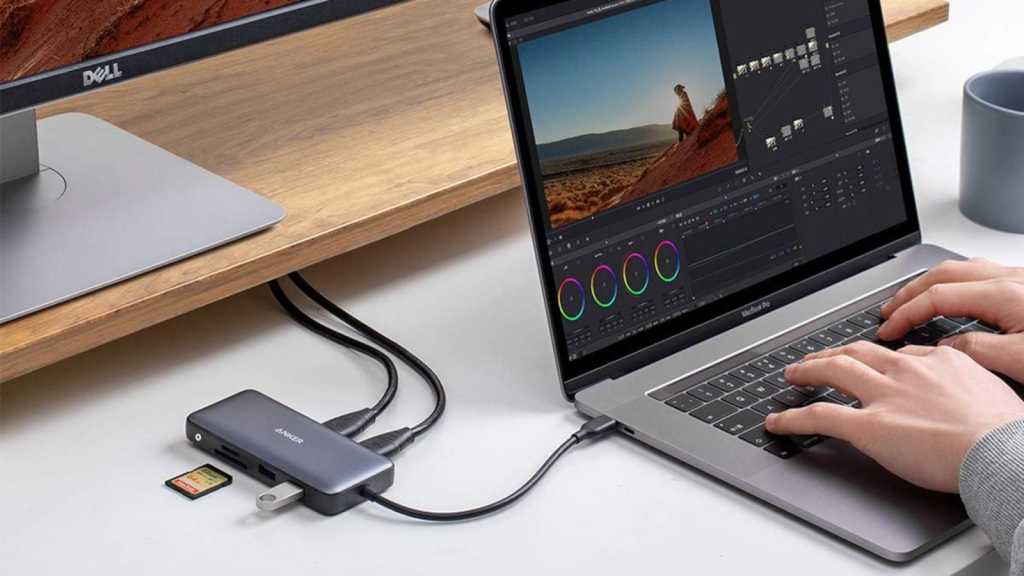
Table of Contents
The struggle for port parity
Modern laptop design has trended toward a minimalism that often leaves users stranded. As chassis get thinner and manufacturers double down on the ‘one cable to rule them all’ philosophy of USB-C and Thunderbolt, the actual utility of a workstation often depends entirely on the quality of the dongle hanging off the side of the machine. For many, the goal isn’t just adding a few USB-A ports for an old thumb drive, but creating a legitimate multi-monitor setup without spending $200 on a dedicated enterprise dock.
This is where the Anker PowerExpand 8-in-1 USB-C Hub fits into the current market. Currently listed at $40 on Amazon—matching its lowest historical price and dropping from its standard $54 MSRP—the hub targets the mid-range user who needs a versatile ‘everything’ port without the price tag of a Thunderbolt 4 station.
Bridging the display gap
The standout feature of the PowerExpand is the inclusion of dual 4K HDMI ports. While many budget hubs offer a single HDMI output, the ability to drive two high-definition displays transforms a laptop from a mobile device into a productivity hub. This is particularly valuable for users running macOS or Windows environments who rely on extended desktops for multitasking, though it is worth noting that display support (such as MST vs. SST) can vary depending on the host laptop’s hardware capabilities.
Beyond the visuals, Anker has integrated 85W Power Delivery (PD) via a dedicated USB-C port. This effectively solves the ‘port tax’—where using a hub consumes the only charging port available on a laptop. By passing through power to the machine, the hub ensures that you aren’t trading battery life for connectivity.
The technical trade-offs
At the $40 price point, there are inevitable compromises. The most significant is the data ceiling. The hub features two USB-A ports, but they are limited to USB 3.0 (5 Gbps). In an era where NVMe SSDs and USB4 drives can hit speeds of 40 Gbps, this hub will act as a bottleneck for those moving massive 4K video files or large software libraries.
Furthermore, the lack of USB-C data ports is a notable omission. The USB-C port on the device is strictly for power delivery; you cannot use it to connect a USB-C peripheral or a high-speed external drive. If your workflow revolves around the latest generation of peripherals, this hub will feel like a legacy device. However, for the average user needing a reliable connection for a mouse, keyboard, and a few SD cards from a camera, the four data ports—including SD and microSD slots—provide more than enough utility.
Contextualizing the value
When compared to high-end Thunderbolt docks from brands like CalDigit or OWC, which can easily exceed $250, the PowerExpand 8-in-1 isn’t trying to compete on raw performance. Instead, it competes on accessibility. The inclusion of a Gigabit Ethernet port is a critical addition for those who find Wi-Fi unstable during Zoom calls or large downloads, providing a stability that purely wireless setups lack.
For users with a MacBook Air or a Dell XPS who just need to plug into a monitor and a keyboard at their desk, the current $40 price point makes this one of the most pragmatic upgrades available. It doesn’t offer the bleeding edge of speed, but it solves the primary frustration of modern computing: not having enough holes to plug things into.


